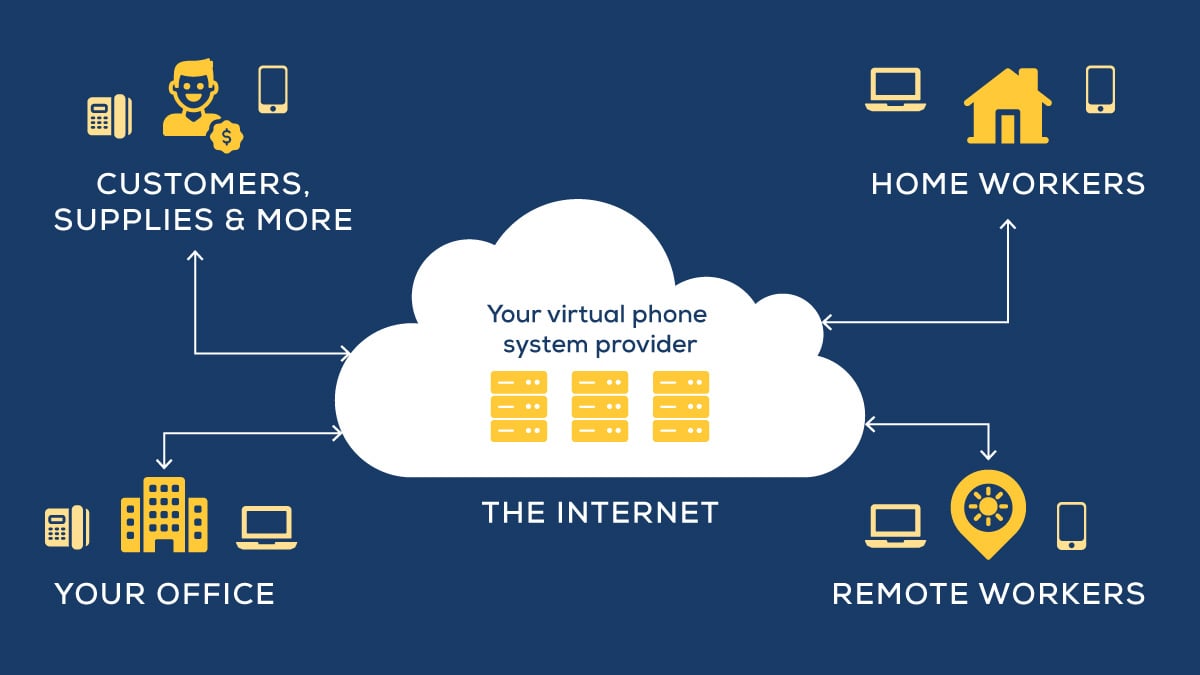
Unified Communications as a Service (UCaaS) can be a real game changer, and these platforms tend to be extraordinarily user-friendly and efficient. However, successful adaptation has a lot to do with implementation. In this blog, I’ll go over what can go wrong and what we do to ensure a smooth transition. But first, let’s review the basics…
Why Invest in UCaaS for Business Communications?

Unified communications technology has been evolving for quite some time, but before 2020, unless your organization had special collaboration needs, it’s unlikely that a technology provider would have recommended it for you. But that all changed when the pandemic forced many of us to work remotely. Suddenly, UcaaS providers had tons of statistics at their fingertips about how using their tools helped employees get more done in less time.
So sure, these tools can improve collaboration and drive innovation, and people like using them. But they also proved they could pay off big time. And so we now recommend these tools for many organizations that would like to:
- Add flexibility
- Increase employee satisfaction
- Boost productivity
- Improve customer service
- Reduce IT burden
- Make onboarding easier
What Can Go Wrong When Implementing UCaaS for Businesses?

So UCaaS is user-friendly, feature-rich, and can solve multiple problems while also saving you money…what else is there? There ARE a few things you can get wrong about implementing these tools.
Here's what to avoid:
- Not considering whether or not your internet was up to the challenge
- Overlooking “small” details — like what integrations are important to various departments
- Ignoring change management
- Getting lax about cybersecurity
- Signing with the wrong provider
- Trying to make the tools do things they aren’t intended to do.
Our Tips for Overcoming UCaaS Adoption Challenges
Here’s how Marco approaches UCaaS implementations every time, and it’s 100% worth it.
1. Have a Point Person
From the moment a customer signs on for a UCaaS solution with Marco, they’re assigned a project manager who develops a customized implementation plan for deploying the new solution. That also means that staff will have a dedicated contact person at every step of implementation who will help them navigate any questions or hurdles they face.
2. Overthink It
Because every UCaaS solution is custom to the business it is used for, developing your solution should involve examining how your business currently communicates. Many different variables can affect your business communications, and the more we understand about those variables, the better your solution will fit your business.
When we work with a client, we get to know about every user, every extension, and every phone number. This includes taking stock of all phone lines, phone numbers, fax lines, and toll-free numbers. Plus, if there are any unique features individual users will require, we need to know about that as well.
3. Provide Engaging Training
These platforms have a fair reputation for being simple to use. But we still make sure that a Marco technical representative is on-hand to introduce end-users to the new technology. This can include anything from holding a formal training session and demonstrating the product to lending out handsets to help staff get a feel for the product.
Employees get used to the way they communicate in the workplace, and sometimes, the idea of changing things can cause some resistance. Making some of these efforts before deploying the solution tends to improve end-user adoption.
Pro tip: Provide additional training after the implementation to maximize your ROI!
4. Make Installation as Painless as Possible
Once we design and program a solution, the physical implementation happens very quickly. It involves dispatching techs to a client’s physical location, and for businesses with multiple locations, we’ll schedule separate dates for each.
From an end-user perspective, the installation just involves plugging in the new phones and/or installing desktop and mobile apps. Still, we make sure that everyone knows which day the phones are switching over.
How Long Does Implementing UCaaS Take?
The onboarding process takes 60-90 days from start to finish. After the technology is installed, it takes about 90 days for end users to fully adopt the technology and become comfortable using the tools on a daily basis, and for businesses to start seeing the incredible ROI these tools can bring.
What we often find is that once end users are comfortable using the tools on a daily basis and seeing how easy UCaaS makes everything (it does!), they’ll start trying to get others on board.
Introducing Marco’s New UCaaS Solution
We may be business technology providers, but upgrading our UCaaS offering wasn’t exactly rocket science. Case in point, before the pandemic happened, some of our clients had already been asking us to help them empower remote workers. They asked, we listened; when the pandemic arrived, we had already been securing, deploying, and managing cloud solutions for so long that we didn’t have to scramble.
Our new solution is developed around Webex by Cisco. Not only does that platform consistently get high marks within the industry, but because we’re a Cisco Gold Partner, our experts can offer you the same or better management, service, and support that Cisco can, and at a competitive price point.
Click the link below to watch me and a few other Marco folks discuss our new offer in more detail and field some great questions!