The real number will depend on how many people you’re outfitting, what you need the system to do, and whether you’re buying hardware or just handing everyone an app.
But I get this question often, usually right after someone’s gotten three wildly different quotes from three different providers and has no idea which one to trust. So in this blog, I’ll walk you through what’s driving those numbers so you can get a better sense of what you can expect to pay for the system that would fit your needs.
Real cost ranges for business phone systems
A business phone system usually costs $10 to $100+ per user, per month. What you get at each price point usually looks like this:
|
Plan type |
Price |
What’s included |
|
Entry-level |
$10–$25/user/mo |
|
|
Mid-tier |
$25–$45/user/mo |
Everything above, plus:
|
|
Advanced |
$40–$100+/user/mo |
Everything above, plus:
|
What affects VoIP pricing
The provider’s base price is only part of the bill.
Number of users and lines
Most providers price per user, so adding people adds cost — but plenty of plans knock the per-user price down once you cross a certain headcount, so a 20-person deployment often costs less per seat than a 5-person one on paper.
Pro tip: Before you buy a line for every employee, decide who actually needs one. A shared front-desk line often covers staff who take the occasional call but don’t need a dedicated extension.
Features
Call routing and voicemail are usually standard. Call recording, AI features, advanced analytics, and international calling often aren’t. And when they’re add-ons, they often add up fast.
Pro tip: List out exactly which features your team will use daily versus ones that just sound nice.
Hardware needs
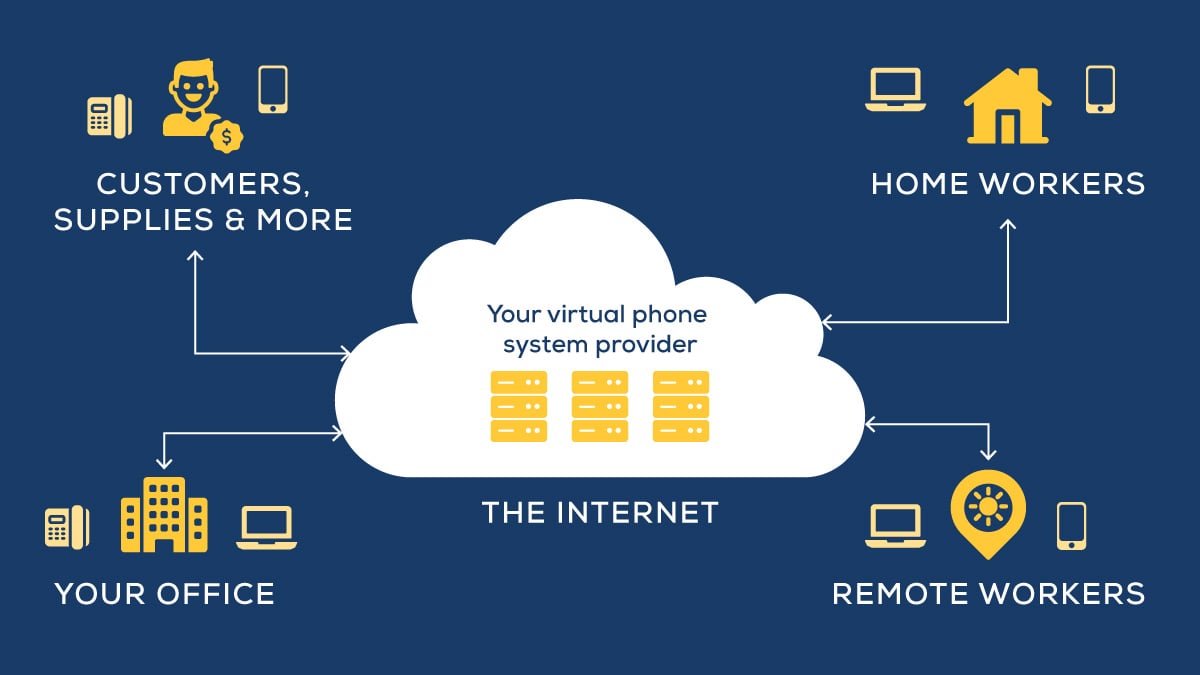
Desk phones cost extra, whether you buy them outright (often $50–$300 per handset) or rent them monthly through the provider. But you can avoid this cost if you use an app on a laptop or other smart device.
Meeting rooms will also need their own hardware. Conference phones or video bars built for group calls typically cost more than a single desk phone.
Contract length and billing
Annual contracts typically run cheaper per user than month-to-month billing — sometimes by 20%–30%. If you want to save money, expect to give up some contract flexibility.
Cloud phone systems vs. On Premise PBX
Put the numbers side by side, and the difference between a cloud system and a landline is bigger than a lot of business owners think.
|
Cloud/VoIP |
On Prem |
|
|
Monthly cost |
$10–$100+ per user |
$50–$100 per line |
|
Setup |
Runs on your existing internet |
Needs wiring and installation |
|
Scalability |
Add users anytime |
New line means new installation |
|
Flexibility |
Works anywhere with internet |
Fixed to one location |
|
Features |
Video meetings, texting, voicemail-to-email, routing |
Basic calling and voicemail only |
|
Maintenance |
Included with the service |
Extra for repairs and upkeep |
The upfront cost comparison usually favors cloud systems, but the price differences get bigger when you factor in what a landline can’t do at all — voicemail-to-email, mobile apps for remote staff, or video meetings without buying separate software.
What costs to expect for a business your size
The ranges above are a start, but they turn into a real number once you look at your actual headcount and what you’re trying to accomplish with the system.
- 5–10 people: usually $125–$300 a month on a mid-tier plan that covers calling, texting, team messaging, and basic voicemail
- 15–25 people: often $300–$700 a month, towards the higher end if you add call recording for compliance or quality purposes, or integrate the phone system with a CRM
- 25+ people (with advanced calling needs): commonly $700–$1,000+ a month, including volume discounts per user
The hidden costs that change your total
The advertised per-user price is just one of the costs that shows up on an invoice. Here’s what else to plan for:
- Taxes and fees
- Training time, depending on the provider
- Porting your existing number (again, depending on your provider)
- Add-ons — like call recording, AI features and advanced reporting
- Any new hardware needed
VoIP or UCaaS — which one are you actually pricing out?
These two terms are related, but cloud voice technologies aren’t all the same.
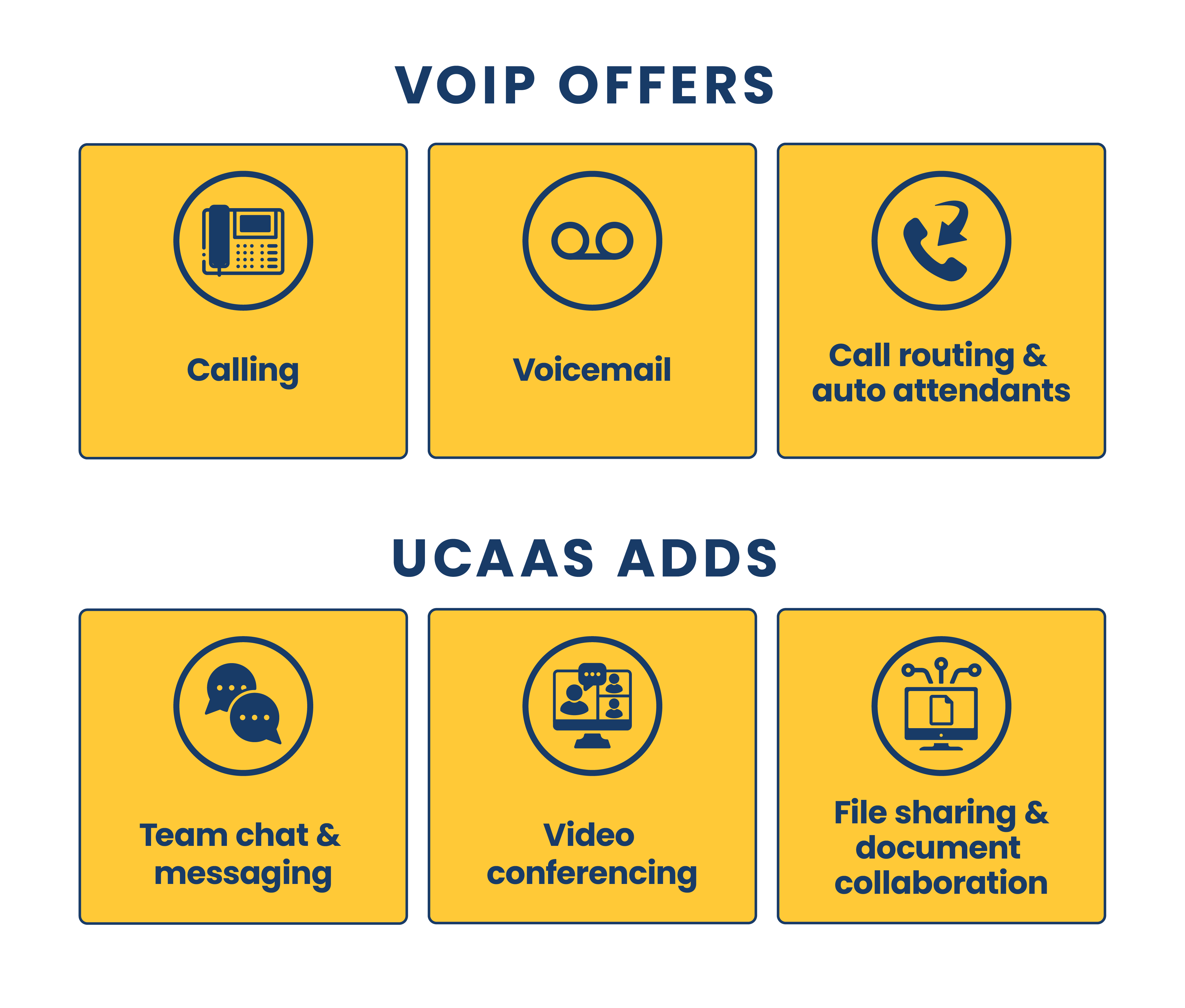
A VoIP service will typically include calling, routing, voicemail, and auto attendants.
Unified communications as a service (UCaaS) will include more comprehensive communication tools, like chat, video, and file sharing, in one platform.
A straight VoIP system usually costs less. But a team juggling five different apps just to talk to each other will often save more overall on a single, but more expensive, platform.
As an added bonus, consolidating everything into one platform cuts down on the app-switching that eats into a workday.
And not to overcomplicate an already complicated topic, but if your call volume is heavy, contact center software will add even more advanced features — like call queuing, skills-based routing, and real-time reporting — on top of either a VoIP or UCaaS system, usually priced as its own add-on.
What a new cloud-based system requires
I recommend planning for a new phone system 6–12 months in advance, but if you’re switching to a cloud system, here’s what next steps look like:
- Pick a plan based on the features your team actually needs
- Decide on user count and whether you’re keeping any existing numbers.
- Set up call routing, voicemail, and any integrations with tools you already use.
- Get hardware ordered and configured, if you’re using desk phones.
- Train your team — this is the step most businesses underbudget for.
Most implementations take anywhere from a few days for a small team to a few months for a larger, multi-location rollout with custom integrations.
At Marco, we like to say it’s impossible to overthink a phone system. The process is straightforward, but a lot of the decisions you need to make aren’t.
Why the cheapest plan isn’t always the cheapest system
A system priced right for today but wrong for how fast you’re growing ends up costing more than the pricier option would have.
I’ve seen businesses buy the cheapest plan available, outgrow it in eight months, and pay twice — once for the system they didn’t need, and again for the upgrade they should’ve started with.
Frequently asked questions
Find quick answers to common phone system questions below:
What is a business phone system?
A business phone system is the technology a company uses to handle calls, voicemail, and routing — either through a cloud-based (VoIP) platform or a traditional landline.
How much does a business phone system cost?
Most businesses pay $10 to $100+ per user, per month, depending on the plan tier and features. Team size and add-ons move that number more than the provider you pick.
How much does a small business phone system cost?
Small teams typically land on the lower end of that range — usually $10 to $45 per user, per month — since entry-level and mid-tier plans cover most of what a small business needs.
How much does a cloud phone system cost?
A cloud phone system follows the same $10 to $100+ per user, per month range as VoIP generally, with the price moving up based on features like call recording, analytics, and international calling.
How do I choose a business phone system?
Start with how your team actually communicates day to day, not the longest feature list. The right system matches your call volume and growth plans, since outgrowing a system within a year often costs more than starting with the right one.
The easiest way to find the right system is to use Marco’s online diagnostic tool. You can get clear business phone system recommendations in minutes.
Making your next steps simple
I mentioned this earlier — but the best way to save money on a phone system is to get the system that best fits what you need. Otherwise, you’ll be constantly adding tools and workarounds that will frustrate your staff and add to your overhead.
We recently put together a quick quiz to help provide custom recommendations quickly.