If you're running Mitel MiVoice Business on an AX, CX II/CXi II, or MXe III/MXe III-L controller, MiVoice Business 10.6 is the last software release those platforms will support.
Mitel originally named 10.5 as the final release, then extended support to 10.6, which became generally available in July 2026.
To be clear, MiVoice Business (MiVB) still has a path forward on newer platforms. The key change is that legacy controllers won't go beyond 10.6, which can affect reliability, cybersecurity, and how easily you can make changes later.
In this blog, we'll break down what that means in practical terms and how to plan ahead.
What does "final release" mean for MiVoice Business 10.6?
MiVoice Business 10.6 will be the last MiVB release that runs on the following controllers:
- AX
- CX II and CXi II
- MXe III and MXe III-L
Mitel has no further major or minor software updates planned for these platforms.
Over time, expect fewer ways to add new functionality, since the controllers' memory and architecture can't keep up with newer requirements.
What it doesn't mean
A final release does not mean MiVoice Business is "dead."
MiVB continues to support other platforms and architectures, including virtual and industry-standard server deployments, and it remains widely used in environments where uptime and call quality are non-negotiable.
Think of it this way: your system may keep running, but it'll be less flexible.
The bottom line is that MiVB isn't dead, but a final release isn't something you should ignore either. In communications, flexibility is often what saves you when something changes, like security requirements, integrations, OS upgrades, or staffing.
Key MiVoice Business 10.6 support dates
Your legacy controllers won't stop working overnight, but Mitel has set firm end dates for repairs, patches, and support.
- July 2026: MiVoice Business 10.6 became generally available.
- October 6, 2027: Mitel plans to deliver patches for critical operational issues through this date. After that, patches are at Mitel's discretion.
- December 31, 2028: End of hardware repair and technical support for CX II/CXi II and MXe III/MXe III-L controllers.
- March 31, 2029: End of hardware repair and technical support for AX controllers.
One detail matters for security planning. Mitel has said newly discovered security vulnerabilities won't automatically qualify as critical issues for patching. Technical support continues for clients with Mitel Software Assurance until the end dates above.
Why this gets risky before end-of-support dates
Most technology phase-outs don't create one big failure overnight. That's the good news. The bad news? Risk tends to show up gradually because different parts of the system reach their limits at different times.
Even if call handling is working fine, pressure often comes from:
- Security requirements changing, such as encryption, certificates, and patch expectations
- Connected systems needing newer versions
- IT infrastructure updates
- Hardware becoming harder to support
Just like every good tech manufacturer out there, Mitel is continuing to improve security features across releases. The challenge is that older controllers may not be able to keep up as requirements move forward.
What's the problem with legacy MiVoice Business environments?

Every environment is different, but these are the areas where organizations using legacy MiVB can experience some friction.
Controller constraints
Legacy controllers have real resource limits. That doesn't always cause an immediate outage, but it can restrict future feature adoption, complicate version planning, and reduce what's possible during a recovery event.
For context, the AX controller has 500 MB of memory and the CX II and MXe III have 1 GB. Mitel's current SMB Controller has 8 GB.
Phones and endpoint compatibility
Your phones may last a long time physically, but compatibility is about more than "does it power on."
MiVoice Business 10.6 is also the last release to support older MiNet phones that can't meet current security standards, including TLS 1.2 encryption. That list includes the 5200 series and older 5300 models such as the 5302 and the non-e 5330 and 5340.
These phones won't register on MiVB 11.0. Mitel carries their programming over to an equivalent 6900 series model during the upgrade, but recommends replacing the phones first. Mitel's recommended go-forward devices are the 6900 series and SIP DECT 7x2d phones.
Here's what compatibility can affect:
- Your security posture, including encryption and TLS support
- Firmware pathways
- Whether new endpoints can be added consistently
- Whether your environment can standardize without special exceptions
Applications and integrations
As systems age, they will often make calls just fine. The bigger pressure to update comes from everything around them, like the software and services they need to work with.
Here are the "big-picture" things to think through:
- Contact center platforms
- Voicemail and collaboration
- Call recording
- Paging
- Compliance tooling
- Reporting and analytics
- E911 and location workflows
These tools often have their own lifecycle requirements, and they can effectively set your real timeline.
Why this isn't "just a simple upgrade"
If you've read this far, you might already have firsthand experience with this. MiVoice Business migrations often require more than selecting "next, next, finish."
Mitel's migration guidance typically includes steps like pre-migration audits to identify unsupported hardware and invalid programming, plus actions required to make databases compatible. That's why we recommend getting in front of this now.
You really don't want to discover a critical dependency mid-project.
The best first step: Get a clear baseline of your environment
Before you decide whether to upgrade your system or replace it entirely, get clarity on what you actually have and what depends on it.
Here's what to think through before deciding whether to update or replace:
- Controller models and current MiVB versions
- Distributed sites and how survivability is handled
- Phone models and any special-purpose endpoints
- Voice applications, such as collaboration, contact center, recording, and paging
- SIP trunking and carrier details
- Network readiness, including QoS, VLANs, WAN links, and failover
- Operational requirements, such as uptime expectations, peak periods, and on-call staffing
- Security requirements, including certificate handling, encryption expectations, and access controls
Should you upgrade or redesign?
If you already know your system needs an update because it's not meeting your needs, focus your attention there. Incidentally, if your system is already 8–10 years old, it doesn't owe you anything anymore, and you'd be better off replacing it.
However, if you're somewhere in the middle, your best bet is a phased approach.
Mitel's replacement options for legacy controllers
If you're replacing a controller, Mitel lists these as the logical next platforms:
- CX II/CXi II: SMB Controller, a virtual instance, or an industry standard server
- MXe III/MXe III-L: EX Controller, a virtual instance, or an industry standard server
- AX: SMB or EX Controller based on capacity needs, AG4124 or AG4172 SIP-to-analog gateways, a virtual instance, or an industry standard server
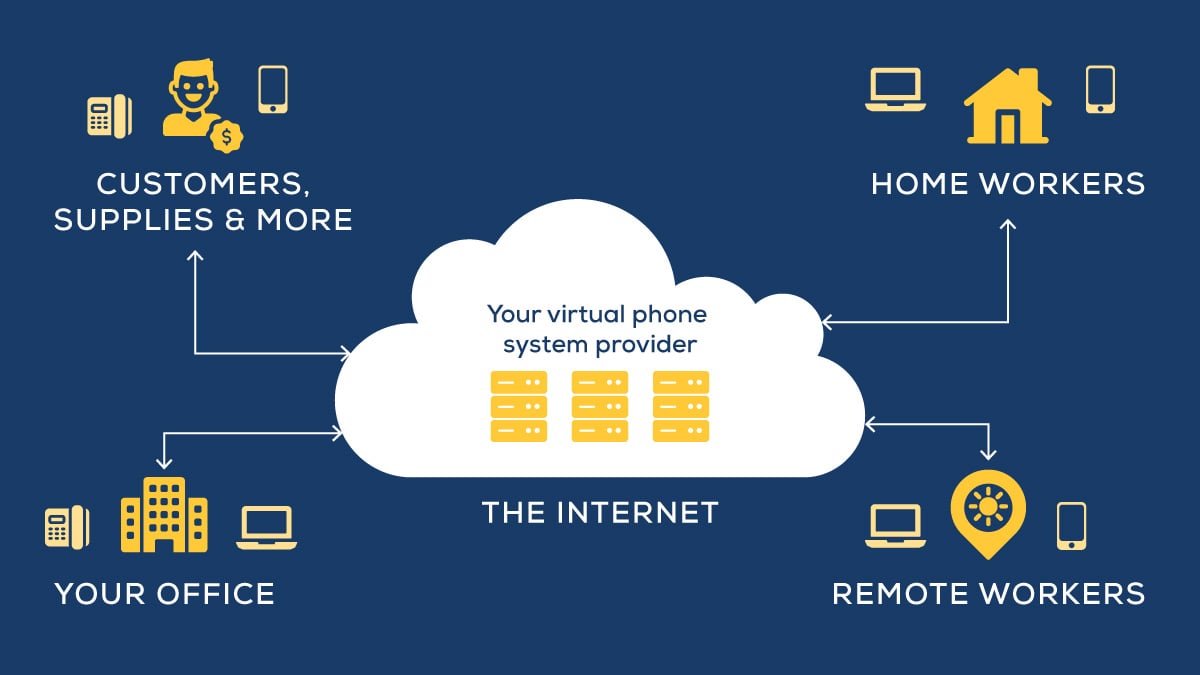
If you're weighing a bigger change, this is also a natural point to compare an on-premises phone system with a cloud-based phone system.
Middle ground: the phased redesign
A phased approach works here because Mitel lets legacy controllers on 10.6 run in the same network as newer controllers on MiVB 11.0 or later during the support period.
If you just need a redesign for now, here's a smart, budget-friendly approach:
- Keep portions of your system stable for now where risk is low
- Modernize the pieces driving risk first, often apps, endpoints, or architecture constraints
- Align timelines with budgeting and operational realities
- Preserve fallback options during cutovers
A practical plan for Mitel MiVoice updates

We typically recommend allowing 6–12 months total for a new system.
If you'll be making updates in-house and your system is on AX, CX II/CXi II, or MXe III/MXe III-L, here's a solid, low-stress sequence to start planning now.
Phase 1
- Inventory controllers, phones, and applications
- Identify "must-not-fail" workflows
- Confirm support posture and parts strategy, meaning what happens during an outage
Phase 2
- Map dependencies: what forces change first, such as apps, OS, security requirements, carrier changes, or site moves
- Identify "no-regrets" steps like standardizing endpoints, improving survivability, and documenting configs
- Define acceptable maintenance windows and operational constraints
Phase 3
- Build a phased roadmap tied to budget cycles
- Decide where upgrades make sense and where redesign is unavoidable
- Develop a cutover strategy that includes testing and rollback planning
Pro tip: We're advising our clients to have their plans in place by summer 2027.
FAQs
Here are a few questions that are coming up in client conversations:
Does Mitel's MiVoice Business 10.6 "final release" mean my phone system will stop working soon?
Not necessarily. Legacy controllers on 10.6 can keep running until Mitel's end of technical support dates in late 2028 and early 2029. The bigger issue is that your options narrow over time, especially as security expectations and integrations change.
Should we upgrade to MiVoice Business 10.6 right now?
It depends on your current version, your applications, and your hardware. Validate compatibility and dependencies first, because the migration process can involve audits and remediation steps.
When does Mitel support end for AX, CX II, and MXe III controllers?
End of hardware repair and technical support is December 31, 2028, for CX II/CXi II and MXe III/MXe III-L controllers. For AX controllers, it's March 31, 2029. Mitel plans to deliver patches for critical operational issues through October 6, 2027.
What happens to older Mitel phones when we upgrade to MiVoice Business 11.0?
Phones that can't meet current security standards, including the 5200 series and older 5300 models, won't register on MiVB 11.0. Their programming carries over to an equivalent 6900 series model during the upgrade, but Mitel recommends replacing them beforehand.
What's the biggest mistake organizations make with this kind of transition?
Waiting until a separate change forces the issue, like a contact center upgrade, OS change, security requirement, or controller failure. That's when timelines compress and options disappear.
How far ahead should we start planning if we're going to replace our phone system?
We recommend that you start planning for an upgrade 6–12 months in advance. Depending on the system, installation can take 45–90 days.
Getting a custom recommendation for your phone system
If you want a second set of eyes on your MiVoice Business environment, or you're trying to figure out whether you're facing a straightforward move or a more involved redesign, you're welcome to request a consultation with one of our phone experts.
What you do with the information we provide is entirely up to you.