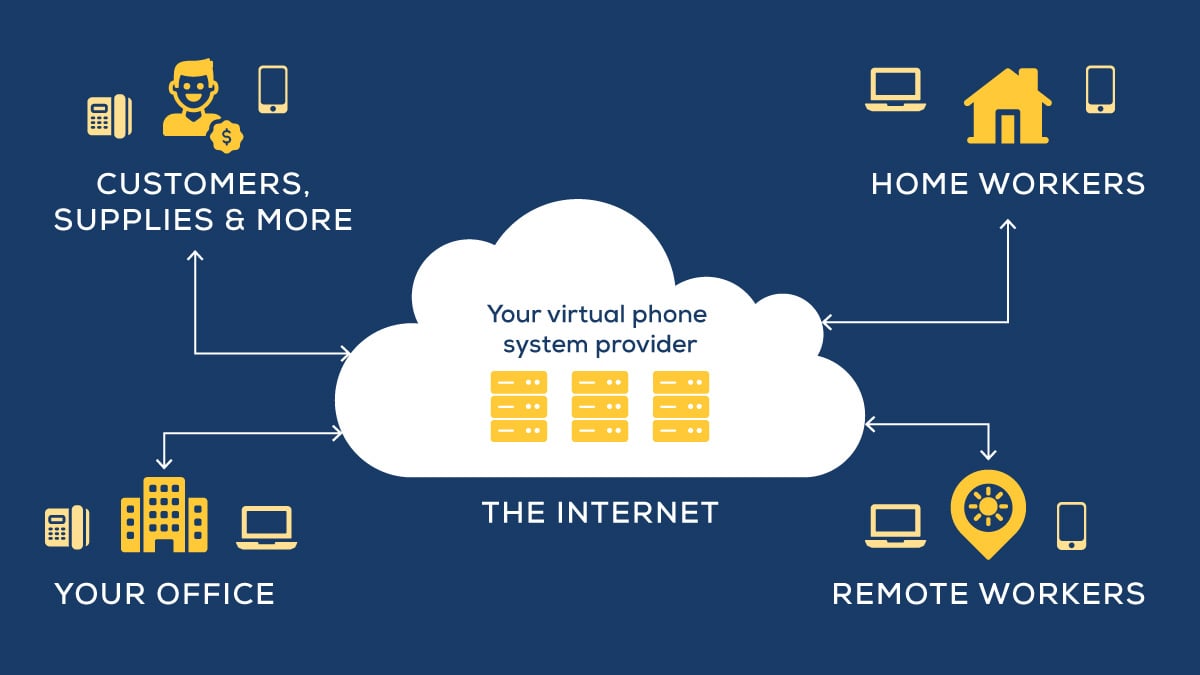
The capabilities and ease that UCaaS brings to organizations can be difficult to envision if you've never experienced them. In my experience, many employees believe their communication hurdles are just something they need to deal with, and since they have yet to experience something better, they might not even know better options exist.
But that's simply not the case.
UCaaS (Unified Communications as a Service) Capabilities

Companies that have yet to experience agile, efficient communication may have a difficult time visualizing what it would look or feel like if their current communication hurdles were removed. And without this ability to visualize, understanding how internal communication practices would improve is difficult.
The examples I'm providing are not massive, paradigm shifting communication hurdles. In fact, they're just the opposite: employees encounter these scenarios regularly, and they result in frustration and wasted work time.
1. Collaborate on Documents in Real-Time
If your experiences collaborating on documents have involved practices like emailing versions back and forth, renaming the document to update the version number, sifting through your inbox to locate past versions and/or trying to pin down who made what changes and when they made them, you're spending a lot of time at work doing housekeeping.
When you collaborate on documents with UCaaS, you're always using the most current version of the document because everyone is working on the same document that's stored via the cloud - as opposed to locally stored on your PC or other devices. If you've used Google Drive for file storage, you likely have a feel for what I'm talking about here.
UCaaS adds ease to collaboration by connecting the document to chat windows and video conference sessions that can include everyone who's contributed to the document, along with anyone else you'd like to invite like managers or a member of your legal department. As everyone contributes and collaborates, the document is always tracking, cross-referencing and versioning.
2. Find Coworker Extensions
Whether you're working remotely, traveling for the day or in the office, every once and a while you need to look up a coworker's extension. If you're like some of my customers before UCaaS, locating the list of company extension includes searching through email, sifting through saved documents or trying to figure out where it's housed on the server. Then, you hope it's the most recent version and scan for the person you're trying to contact.
Sometimes, new employees aren't on this latest version, and you might not be viewing the most up-to-date version at all. If people have switched desks, their extensions may not have transferred along with them. And if the person you want isn't on the document you have, you may end up abandoning this document and begin searching for an old email and hoping their extension is part of their email signature.
How does this look different with UCaaS? You look up the directory on whatever device you're currently using (you'll automatically access the newest version of the directory since just like in the example above, the document is always versioning). Use the search function to find the person you need to talk to, press the extension and it immediately calls them. It's really that easy. You can also filter by the department if you're unsure who exactly you need to talk to.
Imagine the ease this functionality can add to your internal communication. Difficulties with reaching coworkers are problems companies of all sizes face. Whether you have 30 employees, 300 employees or 3,000 employees, UCaaS brings this level of functionality to your internal communications.
These are just two examples of how UCaaS helps employees overcome communication hurdles. In the years that I've been helping organizations implement communication solutions, I've heard countless examples of how the right communication technology can revolutionize the way an organization functions. If you'd like to discuss your specific communication hurdles and get a clear picture of how UCaaS can help, contact a Marco Rep.