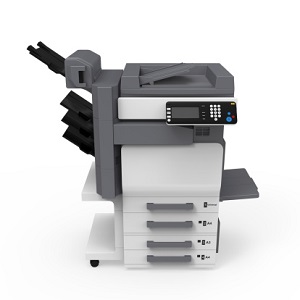
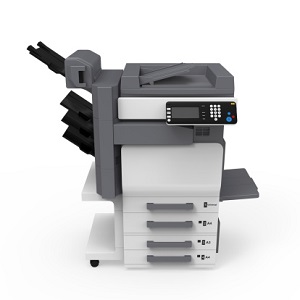
 The Konica Minolta bizhub line of multifunction copiers provides users with the right size solution for all variations of business printing requirements. These devices range from desktop sized units to free standing copiers, capable of suiting a variety of office environments.
One of the best features of Konica Minolta bizhub multifunction copiers is that the user interface tends to be very easy to understand. The large color touch screen displays make it simple for novice users and pros to operate these machines with relative ease. Basic use and troubleshooting requires minimal training and the right copier can be relied upon to keep up with the needs of your business.
If you’re looking for a multifunction copier to keep up with the flow of documents in your office, you might consider one of these units:
Konica Minolta bizhub C224
This multifunction copier is a great choice for small and mid-size businesses that demand higher levels of productivity. This unit can certainly get the job done with features like 22ppm output in color and black and white. The unit also offers users built-in print control, optional single and dual scanning, and INFO-Palette touch screen design.
Konica Minolta bizhub C754e
This multifunction copier will introduce your busy office to a better printing experience. If you’re looking for a solution that offers high-end color resolution and tablet-like touch functionality, this device is the appropriate investment. This is a powerful, scalable option that will keep your costs low and streamline your output. Your employees will be satisfied with the ease of use and your business productivity will increase.
Konica Minolta bizhub 754e
The bizhub 754e offers users an all in one solution for printing, copying and scanning. It features a large, tablet-like color touchscreen that controls software and hardware functions. This device can considerably speed up your workflow with standard dual scanning for color and black and white. Up to 180 originals can be processed every minute.
Konica Minolta bizhub 20
This bizhub features 32 ppm and black and white copy/print. Fast color scanning and a high-speed fax turns this machine into an office workhorse. The bizhub 20 brings real power to your desktop with a convenient USB connection, high paper capacity, standard auto duplexing and high speed printing capability.
Sorting through these options can become overwhelming, but it becomes easier if you clearly identify your organizations primary needs, first. Once determined, it is just a matter of selecting the device that can accommodate the majority of them.
It is always a good idea to bring in a professional to walk you through this process. They have a thorough understanding of printing environments so they can help you identify your business printing needs and any additional productivity enhancing opportunities. Finally, they can easily identify which machines suit your budget.
Konica Minolta multifunction copiers provide everything from top-of-the-line traditional print features – scan, copy, staple, double-sided, etc. – to advanced solutions such as specialized software integration, print management, variable printing and cost control. Konica Minolta bizhubs provide all the functions you need in business today.
Set up your print assessment today to discuss your print needs with a Copier/Print Specialist and find the right technology for your business.