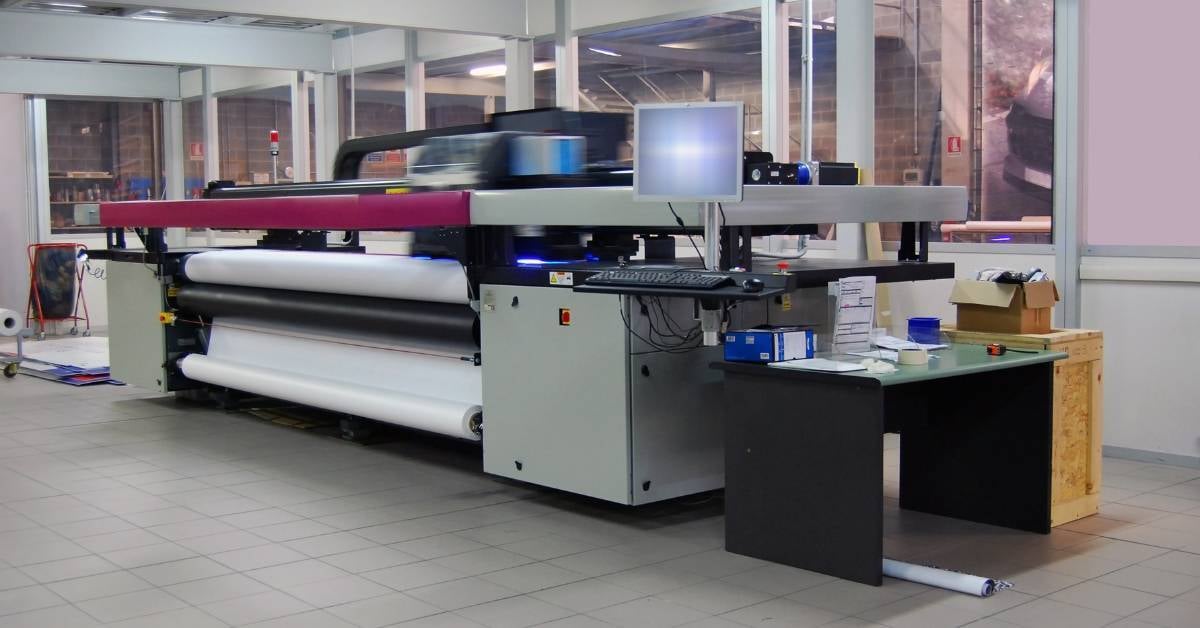
If you're printing large-format jobs often enough that outsourcing is starting to feel expensive, slow, or both, you might be wondering if it’s time to bring a wide format printer in-house — and if so, which one is the best fit.
After working with businesses across a range of industries and print volumes, I've found that the answer comes down to a handful of decisions made in the right order. In this blog, I’ll explore all of them, starting with the most important one.
Do you actually need a wide format printer?
The clearest indicator is monthly volume. If your organization runs more than 2,000 square feet of wide format output per month, bringing a printer in-house is worth a serious look. Below that threshold, outsourcing is often the smarter call — the economics don't justify the hardware.
If you're above 2,000 square feet and still sending jobs out, you're paying a premium for turnaround time, quality control you can't touch, and someone else's schedule. For businesses with recurring large-format needs, in-house printing typically pays for itself through reduced outsourcing costs and faster job completion.
Which type: inkjet plotters vs. dry-toner plotters
Choosing between these two technologies is one of the most important decisions in the buying process — and choosing the wrong one is a common and costly mistake.
Inkjet plotters
These are the right fit for most businesses entering wide format printing. If you're running between 2,000 and 5,000 square feet per month, an inkjet plotter is the best type of device for your situation. They handle high-quality color well, are suited for technical drawings and mixed-use environments, and carry lower upfront costs than dry-toner systems.
Dry-toner plotters
Dry-toner plotters are built for higher production demands. If you're printing more than 5,000 square feet per month, dry-toner is the better option. These devices are faster, designed for sustained high-volume output, and better suited to environments where speed and consistency at scale matter more than color versatility.
How to think through costs

Wide format printers range from a few thousand dollars on the low end to $30,000–$50,000 or more for production-grade systems. But the purchase price rarely tells the full story.
The more useful number to track is cost per square foot — what you're actually spending on each job, factoring in ink, media, and consumables. That number gives you a real comparison between in-house printing and your current outsourcing spend, and it's what tells you whether the investment makes financial sense.
Other cost factors to account for:
Ink and media
Consumption rates vary significantly by device and application. High-color work burns more ink; technical drawings much less.
Maintenance
Wide format devices require regular servicing. Without a service agreement, unplanned maintenance can get expensive quickly.
Software
Some environments need print management or RIP (raster image processing) software to handle complex jobs efficiently — an additional cost worth factoring in upfront.
Buy vs. lease: which acquisition model fits?
Neither model is universally better. The right answer depends on your cash position, expected volume, and how quickly your needs might change.
Buying
Buying outright makes sense when you have consistent, predictable volume, plan to keep the device for five or more years, and want to own your own equipment. The total cost is higher upfront, but you build equity and avoid ongoing payments.
Leasing
Leasing might be better if you want to preserve capital, prefer to upgrade equipment on a regular cycle, or want maintenance and supplies bundled into a predictable monthly cost.
Many managed print programs for wide format include a cost-per-square-foot structure — a flat rate per square foot printed — which makes budgeting straightforward and eliminates surprise service bills.
If you're leaning toward a managed approach, ask prospective providers whether their wide format program includes remote monitoring, automatic supply ordering, and a defined response time for service calls. The device is only as good as the support structure behind it.
What to look for in a wide format print partner

The hardware decision and the provider decision carry equal weight — and in my experience, the provider side gets underweighted more often than not.
I’d recommend keeping these things in mind:
Local service capability
Wide format printers are specialized devices. When something goes wrong, you need a technician who knows the equipment. Local providers can offer timely support — remote or on-site — and technology specialists with broad experience can often identify issues that aren't obviously tied to the printer itself.
Full print environment experience
A provider who manages your office and wide format printing together can give you consolidated visibility into costs and usage across the board, not just the new device.
Vendor relationships
Strong partnerships with HP and other leading wide format manufacturers mean better pricing, faster parts availability, and access to current models — not whatever happens to be sitting in a local warehouse.
Accountability after the sale
Before you sign anything, ask specifically what happens when something breaks, when supplies run low, and when your volume changes. The right provider has clear, specific answers to all three.
Consulting with a print expert
If you're not sure whether your current volume justifies a wide format printer — or which type of device is the best fit — I'd start with a conversation. At Marco, we’ve gone out of our way to add professional printers to our team, so your conversation will always be backed by practical, real-world experience.
We can look at what you're currently producing, what it's costing you, and what an in-house setup would actually deliver for your business.