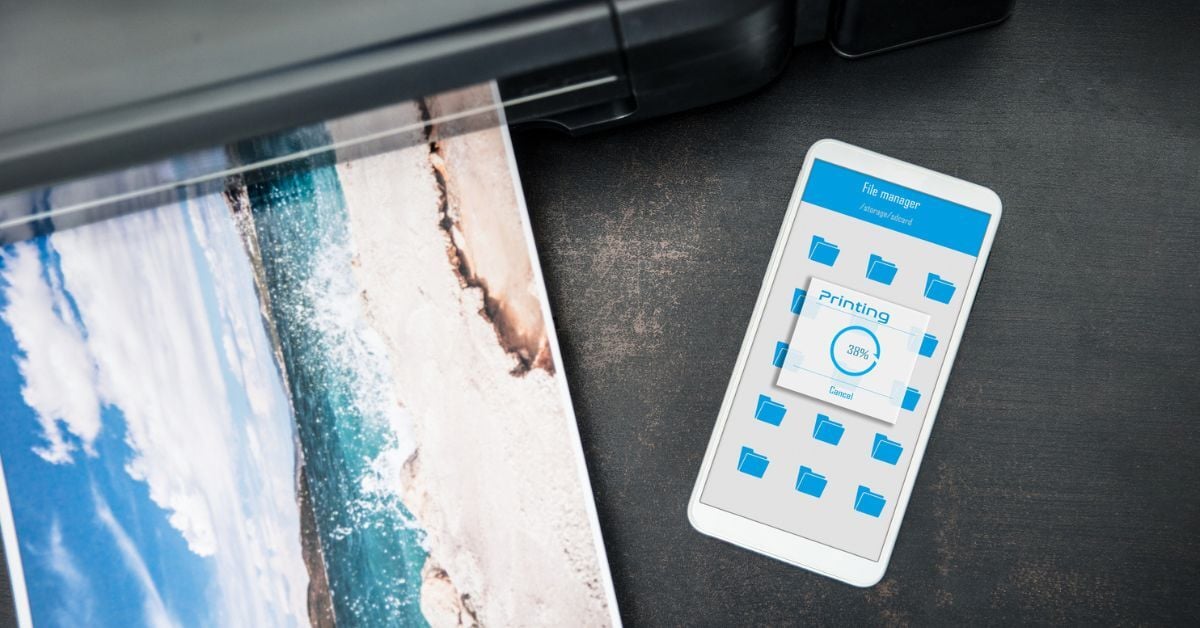
Cloud printing is a technology that lets users send print jobs from any internet-connected device — a laptop, smartphone, or tablet — to a printer without being physically on the same network or needing to install printer drivers. Instead of routing a print job through a local server or a USB cable, the job travels through the cloud and reaches the printer wherever it is.
For businesses navigating hybrid work, multiple locations, or bring-your-own-device (BYOD) environments, cloud printing solves problems that traditional printing infrastructure was never designed to handle.
How Does Cloud Printing Technology Work?
Traditional printing ties a device to a printer through a cable or a local network, with a print server managing the traffic in between. That works fine when everyone is in the same building, using company-issued devices, every day. The moment someone works remotely, switches to a personal device, or needs to print at a different location, the whole setup requires IT involvement to sort out.
Cloud printing replaces the local print server with cloud-based infrastructure. When an employee prints a document, the job travels over the internet to a cloud service, which routes it to the target printer. The printer doesn't need to be on the same network as the device — it just needs an internet connection.
There's a secondary benefit for IT teams as well. Because cloud printing eliminates the need for driver installation, users can discover and connect to printers without individual device configuration. New employees, new devices, and new locations no longer mean a queue of support tickets.
That said, cloud printing on its own isn't a complete print management solution — and that distinction matters when choosing an approach.
Cloud Printing vs. Cloud-Based Print Management
These two terms are often used interchangeably, but they describe different things.
Cloud Printing
Cloud printing just refers to the ability to send print jobs over the internet — routing jobs between a device and a printer without a local server in the middle.
Cloud-Based Print Management
Cloud-based print management is broader. It refers to managing the entire print environment — tracking usage, enforcing print policies, monitoring device health, controlling costs, and securing documents — using software hosted in the cloud rather than on-premises servers. Print management software in this category can handle everything from automated supply ordering to pull printing and user authentication.
A business might have cloud printing capability without cloud-based print management. But for most organizations, the two work best together. Your printing flexibility is only as useful as the infrastructure behind it.
What Are Cloud Printing Solutions Good For?

Cloud printing solutions address several specific business scenarios where traditional printing falls short.
Hybrid and Remote Work
When employees split time between home and the office, or work from client sites, they need to print without being physically present on a network. Cloud-based printing platforms eliminate the need for a direct connection and can unify printing across multiple locations — including home offices — under a single managed environment.
BYOD Environments
Employees increasingly use personal smartphones and laptops for work. Cloud printing allows those devices to discover and connect to office printers without driver installation or IT configuration, which reduces friction and support load.
Multi-Location Businesses
Organizations with multiple offices no longer need a print server at each location. Cloud infrastructure centralizes management while making printers accessible from anywhere, simplifying both the user experience and the IT overhead.
Guest and Visitor Printing
Cloud printing solutions can enable guest access to printers without granting access to the broader network — a common need in professional services, hospitality, and co-working environments.
Secure Cloud Printing: What To Know
Printers are networked devices, which means they carry the same categories of risk as laptops and servers. A cloud printing solution that doesn't account for security is an open door into your network.
So here are the questions you need to ask before implementing any cloud printing approach:
-
Are print jobs encrypted in transit?
-
Where is print data stored, and for how long?
-
Is user authentication required before a job is released?
-
How are access permissions managed?
What To Look for in a Cloud-Managed Printing Solution

Not all cloud printing solutions are built for business environments. When evaluating options, a few factors separate solutions that scale from ones that create new problems.
Compatibility
A strong solution works across device types and operating systems — Windows, macOS, iOS, Android, Chromebook — and integrates with the printers already in your fleet rather than requiring replacement hardware.
Serverless Architecture
Eliminating on-premises print servers reduces infrastructure costs, simplifies IT management, and removes a common point of failure. Cloud-based print management software makes this possible without sacrificing control or visibility.
Centralized Administration
IT and print administrators should be able to manage users, printers, policies, and reporting from a single interface — not a patchwork of tools across locations.
Usage Tracking and Cost Controls
One of the clearest advantages of cloud-managed printing is visibility. Knowing what's being printed, by whom, and on which devices makes it possible to reduce waste, enforce policies, and allocate costs accurately.
Vendor Support
Cloud printing infrastructure requires ongoing maintenance, updates, and troubleshooting. Whether that's handled in-house or through a managed print services provider, the support model matters as much as the software itself.
Frequently Asked Questions
Got a few remaining questions about cloud printing? Find answers below.
What is cloud printing?
Cloud printing is a method of sending print jobs from any internet-connected device to a printer via the cloud, rather than through a local network or physical connection. It removes the need for printer drivers and local print servers, making printing possible from virtually any location.
What is the difference between cloud printing and managed print services?
Cloud printing refers to the technology that routes print jobs over the internet. Managed print services (MPS) is a broader program that covers the full print environment — hardware, software, supplies, maintenance, security, and support. Cloud printing is often one component of a modern managed print services program.
Is cloud printing secure?
It can be, but security varies by solution. Look for end-to-end encryption, pull printing with user authentication, and clear data retention policies. A solution that stores print jobs on a public cloud server without access controls introduces risk. A well-implemented secure cloud printing solution addresses all of these.
Do I need to replace my printers to use cloud printing?
Not necessarily. Many cloud printing solutions work with existing hardware, provided the printers are network-connected. Compatibility varies by solution and printer model — a print specialist can help assess whether your current fleet supports the solution you're evaluating.
What is remote printing, and is it the same as cloud printing?
Remote printing refers to sending a print job to a printer in a different location — typically, an office printer from a home or travel location. Cloud printing is the technology that makes remote printing possible. They're closely related, but remote printing describes the use case and cloud printing describes the mechanism.
Getting Expert Help With Cloud Printing Solutions
Most organizations don't have the time to evaluate every solution on the market, and they shouldn't have to. We’ve already done that work.
After years of managing print environments across organizations of all sizes, we've narrowed our recommendations to the solutions that consistently deliver value and long-term satisfaction for our clients.
See what we recommend most or request a one-on-one consultation with a specialist.
.png?width=72&height=72&name=MicrosoftTeams-image%20(2).png)