The success of daily operations in any business comes down to communication. How people communicate is crucial to every aspect of the business, from the flow of information between managers and employees to the discussions employees have with co-workers in the same project group. Even small errors in communication can have a negative impact, big or small, on the outcome of the final solution.
Communication in the workplace has changed rapidly over the past three decades. Rather than sending formal memos, picking up the phone or walking down the hall to discuss project details with co-workers, most employees use email, workplace instant messaging or personal mobile devices to quickly communicate with one another. These forms of communication, while valuable, can create problems in the workplace.
The Problem: Interpretation
The greatest problem created by text-only communication is the opportunity for misunderstanding. When employees opt to send an email rather than pick up a phone, there is a possibility that the message will be misinterpreted or altogether misunderstood by those on the receiving end. There is no way to convey tone or body language in an email, which makes it impossible for anyone reading it to truly grasp the sentiment and mindset of the sender.
When people speak to one another, it is easier to decipher tone and meaning. Hearing someone’s voice as they convey a message makes it easier to understand the context and emotion of the conversation.
Another problem presented by text-only communication involves time. Email, text and instant messaging conversations can drag on for far too long. Response times vary based on when the recipient receives the message, and when he/she makes time to respond. Voice conversations provide the benefit of immediate response. It is possible to cut hours, days and sometimes even weeks down to minutes if a phone conversation can be had instead of text messages.
The Solution: Audio Conferencing
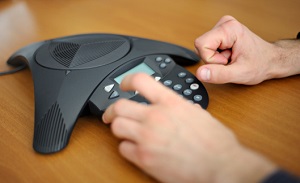 Audio conferencing systems offer a solution to all problems created by text-only communication, without sacrificing the ease of connecting with others. For starters, it is much easier to understand the intent, tone and context of a conversation when you hear another person’s voice. Through voice communication you can hear tone, grasp the context of the discussion and respond accordingly to their comments (and be understood in the same manner).
Secondly, audio conferencing offers the chance for rapid solution. Email conversations can drag on for hours with countless messages bouncing back and forth between team members. Extended periods of time can dilute the original message, waste time and take focus off the point of the conversation. If more employees just picked up the phone and used audio conferencing to communicate with other team members, the conversation could reach a swift and effective conclusion.
How to Select an Audio Conferencing System
The perfect audio conferencing solution is the one that best suits your business. The communication needs of every company are different, which means the solutions are different as well. What works for a small startup will not work for a Fortune 500 company.
As your company considers audio conferencing systems and equipment, it is important to think about the style of communication taking place in your office and the current effectiveness of employee interaction in your workplace.
For example, a small business with a mobile workforce that spends more time out of the office needs a solution that suits its remote and mobile needs. Audio conferencing for this business should be able to route calls from a work phone to a mobile device so calls aren’t missed and the recipient is easily reached, regardless of where they are at the time. A solution that involves softphones would also work for this company by allowing home-based employees to access a secure network on their computer to participate in audio conferences with fellow employees or clients.
A larger company with multiple remote offices might need a more robust solution that enables the combination of audio and video systems, so employees can easily interact with one another and clients, both vocally and visually. Handsets, standard phone systems and advanced teleconferencing solutions may be required at personal desks or in shared meeting rooms to allow for effective communication.
Careful analysis of your business communication needs will help determine what audio conferencing solutions will work for your employees. An audio/video specialist can help facilitate this discussion and provide options that fit your needs; to begin, request a free consultation:





.jpg)




