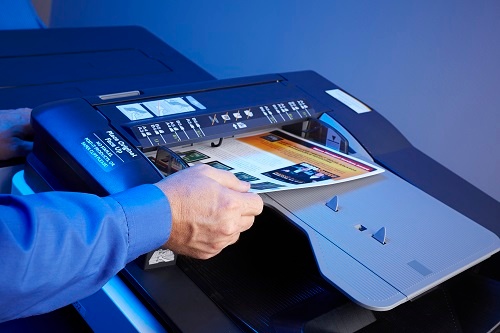
If you’re shopping for a new office copier, that’s no small task — one that you’d like to remain as simple as possible. That being said, it’s an excellent opportunity to shop for a new dealer.
Hear us out — no two copier dealers are exactly the same. The same equipment sold and maintained by a better, more client-focused dealer can potentially last longer, perform better, and save you some money in the long run. A good dealer can also help make your purchasing decisions easier and set you up for success with the right equipment for the right job.
So, without further ado, here are the top five questions you should ask a potential copier dealer…
Top 5 Questions to Ask a Copier Dealer
1. What’s the Total Cost, Including Your Contract?
The sticker price on the equipment might not necessarily be what you end up paying.
Consider these additional components in your final cost:
- Any additional features you require
- The service contract
- The supplies the device requires
- The energy it consumes
Your dealer should help you understand your total cost. But before you sign anything, you should make sure you understand all of the components that determine your total printing costs.
Ink and toner aren’t cheap, and neither is electricity. Sometimes less expensive devices use more expensive ink and toner, aren’t as energy efficient, and will need more frequent troubleshooting and repair. You may not need all the bells and whistles of a fancy copier, but sometimes the cheapest one isn’t your best bet either.
2. What Does Your Contract Include?
It can be frustrating when a new copier misbehaves. But unlike a laptop or a cell phone, a copier has a far more complex job. It must grab an individual sheet of paper, deposit ink or toner precisely — without any gaps or smudges — and then assemble a finished document. Paper jams and error messages are going to happen, and you need to know how much, how often, and how long your dealer is willing to help you out.
3. How Long Does it Typically Take to Get Service for Copiers?
Are you often producing a large volume of documents right before a big deadline? Then you’ll really want to know how quickly you can expect the help of a professional copier technician and whether they’ll respond to a service call after hours or on weekends. The best dealers will guarantee you a response time of three hours or less.
4. Can You Help With Security?
Five or ten years ago, it probably wouldn’t have made sense to ask a copier dealer this question. However, print security is an important business IT topic for a reason. Today’s copiers and printers are connected to your network, they run software, they have memory, and they are often unsecured — all of which makes them tempting to hackers.
Not all dealers or print providers are the same, but depending on who you purchase your printing equipment from, your dealer might automatically update default admin passwords for you and help you securely decommission devices when you’re done with them.
It really doesn’t matter who attends to these pesky tasks, but it matters quite a bit that they’re being done. Unfortunately, 40% of IT security professionals admit they don’t always change default admin passwords. So if you’re not sure your IT team is consistently securing your devices, it’s time to have a frank conversation, either with your dealer or with your IT team, and perhaps both.
5. Would I Be Better Off With Managed Print Services?
Most business copier/printer dealers also offer Managed Print Services (MPS), where all management, troubleshooting, supply ordering, and repairs are outsourced to a third party.
It may sound counterintuitive to outsource a core business function, especially when many businesses are looking to make cuts. But managed print services can save you more money over time, reduce workplace frustration, help you waste less supplies and energy, and much more. Marco’s managed print services offering also includes print security services at no additional charge.
If you haven’t considered managed print services before, it’s an important conversation to have with a dealer — before you sign anything.
Are Your Best Interests Being Served?
If your dealer is anything like us, they’ll be more than happy to just help you find the right printing equipment IF that’s all you really need.
But many businesses today are actually better off without buying a copier at all and going the MPS route instead. If your dealer hasn’t brought it up, you definitely should. And if you don’t like what they have to say, our US-based team at Marco is happy to take your call.











