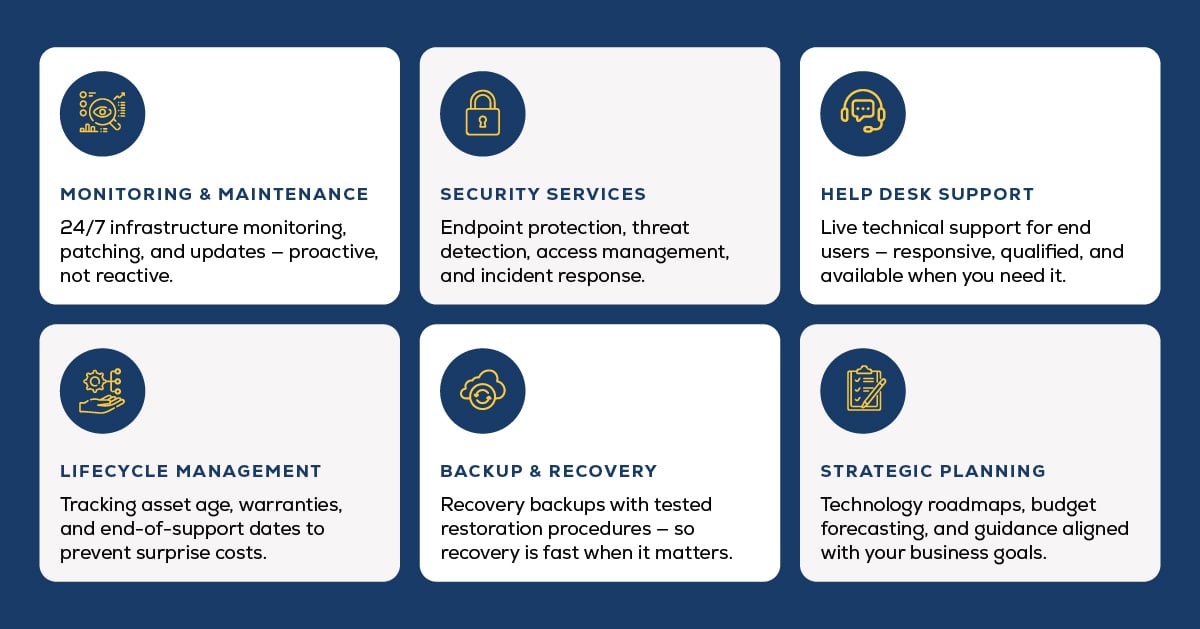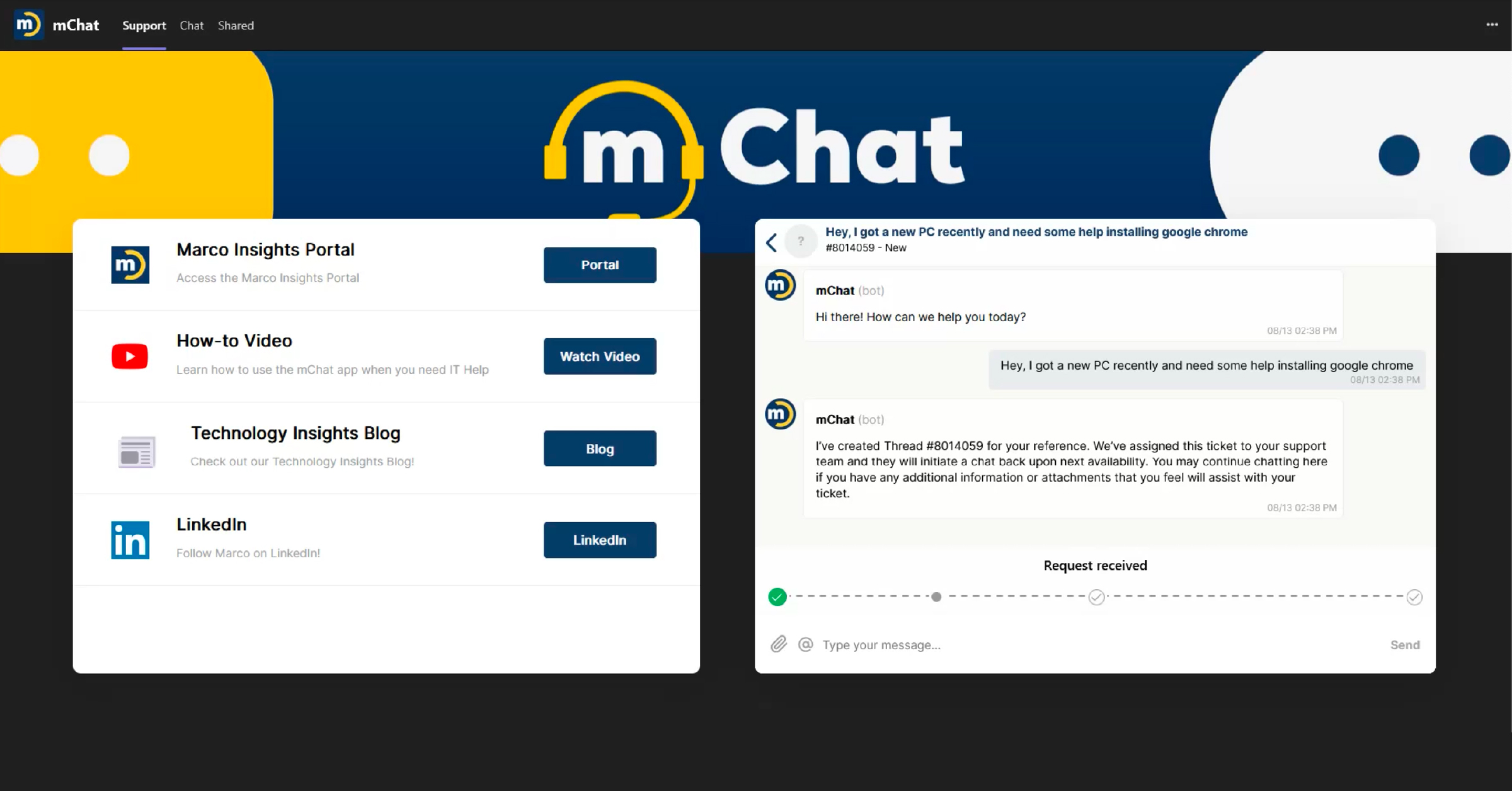
Industry-wide, a per-user managed IT plan will typically run $100–$250 per user, per month, with the low end covering core help desk and monitoring and the high end reflecting bundled cybersecurity and 24/7 coverage. A 30-person organization should expect a realistic range of roughly $3,000–$7,500 a month. But it’s important to note that no two managed IT providers will provide the same set of services and tools in the exact same way.
If you’re trying to assess what kind of service you’ll get for your money, it’s more important to look at a provider’s pricing model. Understanding how each model is built can help you compare quotes more accurately.
Common pricing for Managed IT
There are a lot of pricing models out there, but many of them create a conflict of interest, or at least the perception of a conflict of interest, between a provider and a client.
Two models (per-user and all-you-can-eat) are incentive-aligned, so a provider does better when they prevent problems and help their clients grow.
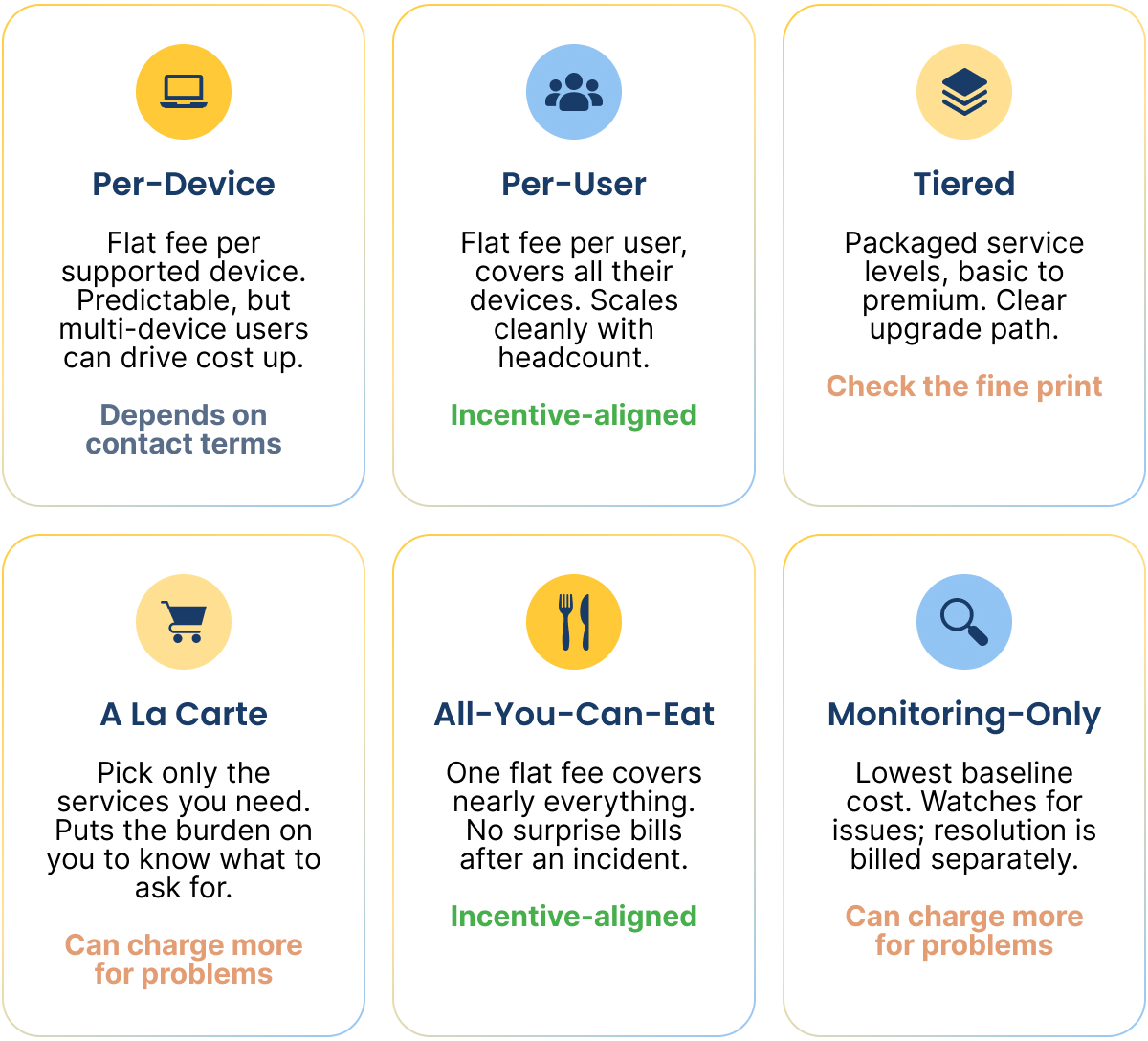
The most common pricing models are monitoring-only, per-device, per-user, tiered, all-you-can-eat, and a la carte. Let's explore each of these in more detail.
Per-device
This pricing model offers a flat fee for each supported device, like desktops, servers, printers, and managed networks. This model makes it easier for MSPs to quote prices and modify their fees if additional devices are added.
However, depending on the provider and how they sell their services, it's not always as clear to clients exactly what services they're getting.
Pros:
- It’s easier to quote, and scaling is built in
-
Your provider is incentivized to prevent problems
Cons:
- Providers are incentivized to recommend additional devices, which may erode trust over time
-
What's actually covered per device isn't always transparent up front
Per-user
Instead of billing per supported device, this model offers a monthly flat fee per user and covers support for all devices. Remote workers want to access the same productivity and collaboration tools through multiple devices, so they can be productive from anywhere.
This model tends to allow hybrid and remote workplaces greater flexibility, and provides a more seamless experience.
Pros:
- This model is also easier to quote, and scaling is built in
- Hybrid and remote setups aren't penalized
- Your provider is incentivized to prevent problems
- Your business avoids a lot of unpleasant surprises
-
Pricing tends to be more consistent, and any changes are more predictable
Cons:
- Can cost more than per-device pricing for users with unusually few devices
-
Less granular than paying only for specific services
Tiered
Many MSPs rely on tiered pricing, which defines different service levels they can provide. The lowest tier might offer basic remote support, patching, and updating. The next tier might include on-site visits, and the highest tier might include 24/7 support.
Pros:
- Clear upgrade path as your needs grow
- Lets you match spend to actual service level instead of paying a flat rate for everything
Cons:
- Lower tiers may exclude coverage you actually need until you pay to upgrade
-
Depending on the tier, incident response may still be billed separately from the base fee
A la carte
A la carte pricing might be more cost-effective than all-you-can-eat, but this model allows clients to pick and choose everything they need, without spending money on unnecessary services.
You can explore pricing for our managed IT plans as well as more a la carte offerings here: https://www.marconet.com/pricing.
Pros:
- You only pay for the specific services you use
-
Can be less expensive than an all-inclusive plan for organizations with some in-house IT capability
Cons:
- Puts the burden on you to know what to ask for
-
If incident resolution is billed as its own line item, the provider makes more money every time something breaks — which gives them little financial reason to help you avoid the problem in the first place
All-you-can-eat
While organizations typically don't want to pay for more services than they need, they also don't like surprise expenses that might occur after, for example, a cybersecurity incident. Like an all-you-can-eat buffet, this model charges one predictable monthly fee, which will typically cover all services the MSP offers.
Some exceptions might include support outside of normal business hours.
Pros:
- One predictable monthly fee with no surprise bills after an incident
- Because the provider absorbs the cost of fixing problems instead of billing for each one, they're financially motivated to prevent issues, not just respond to them
Cons:
- Can carry a higher baseline cost than leaner models, since worst-case coverage is priced in
-
Support outside normal business hours may still be a billed exception
Monitoring-only
Monitoring-only pricing can be useful for organizations that only need certain cybersecurity coverage from an MSP. Depending on the offering, an MSP might patch and update your operating system software, and offer disk optimization and backup monitoring.
If any risk or incident is identified, the MSP may charge an additional fee to resolve it.
Pros:
- Lowest baseline cost of the six models
-
A good fit for organizations that already have internal IT capability and just want an extra set of eyes on cybersecurity
Cons:
- The provider is paid to watch for problems, then paid again, separately, to fix them — the pricing structure that rewards catching issues, not preventing them
-
Resolution costs can add up unpredictably if incidents are frequent
What determines your managed IT services cost?
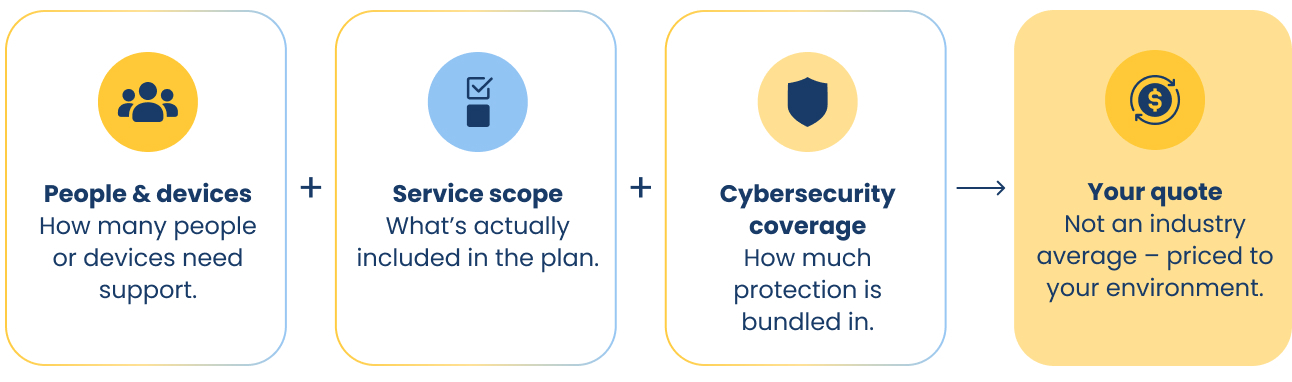
The number on a quote comes down to three things:
- How many people or devices need support
- What's included in the service scope
-
How much cybersecurity coverage is bundled in
A quote covering 24/7 monitoring, patch management, help desk support, and advanced threat detection will cost more than one covering business-hours help desk alone.
Pricing also varies between providers for reasons that have nothing to do with what you're getting.
Team size, experience level, and how established a provider is all factor into the number — which is exactly why the total on the invoice tells you less than what's actually inside it. Two quotes with a $1,000 monthly difference between them might reflect two very different scopes of coverage, not one provider simply charging more for the same thing.
What to expect during onboarding
Most managed IT providers front-load real work into the first weeks of a new contract: assessing your existing environment, configuring systems, migrating data, and training your team. That work takes time and resources, and I’d recommend asking upfront how a provider structures it, rather than assuming it's a formality.
A well-run onboarding should leave you with a clear picture of your security posture, a roadmap for what's next, and a team that already understands your environment before the first support ticket comes in.
If a provider doesn’t plan for a thorough onboarding process, that’s a red flag.
Questions to ask when comparing managed IT pricing
The number on a quote only tells part of the story. Before comparing providers, ask:
- What's included in the base price, and what triggers an additional charge?
- Is cybersecurity coverage bundled in, or priced separately?
- What does onboarding include, and how long does it typically take?
- How does the price change as we add users, devices, or locations?
- What response times are guaranteed, and are they in writing?
-
Will we have a dedicated point of contact, or a rotating support queue?
A provider that answers these clearly, before you sign anything, is telling you as much about how they'll operate as their pricing sheet is.
Finding the right managed IT provider for your business
Depending on your organization and its goals, one pricing model may be far better than the other. Therefore, understanding MSP pricing will help you narrow down which provider might be the better fit. However, some MSPs can accommodate different pricing models, depending on the services needed.
For example, at Marco, our fully-managed Managed IT Services are priced per user. This allows our clients to understand exactly how much they'll be investing and what they'll be getting for their money, and it allows them to scale up or down along with their staff.
We also offer more targeted support options that might be a better fit for clients that only need to add capabilities in a few areas.
If you're wondering which IT service might be right for you, our experts have created this checklist to help point you in the right direction.
Our IT experts can also answer any questions you might have about our services and how we might be able to deliver the best outcome for your organization.
Frequently asked questions
Managed IT is a complicated topic, and shopping for a provider often feels like comparing apples to oranges. So if you’ve wondered any of these, you’re not alone!
What is the most common pricing model for managed IT services?
Per-user pricing is the most common model among managed IT providers today, largely because it scales predictably with headcount and suits the hybrid and remote work patterns most businesses now have.
How much do managed IT services cost per user?
Per-user managed IT plans typically range from $100 to $250 per user, per month, depending on service scope and how much cybersecurity coverage is bundled in.
Is per-user or per-device pricing better for my business?
Per-user pricing tends to fit hybrid or remote teams better, since it covers a person's devices rather than a fixed machine count. Per-device pricing can work well for organizations with a stable, predictable device count and low staff turnover.
What's typically included in a managed IT services contract?
Most contracts include help desk support, patch management, and system monitoring at minimum, with cybersecurity coverage, 24/7 support, and on-site visits added depending on the tier or model.
See how much Marco’s managed IT services cost
Our fully managed IT services are designed to help you save on infrastructure, so our service cost won’t be the full story.
Feel free to reach out if you’d like us to run the numbers on how much you could save through us. But if you just want a quick quote, you can get that below!