
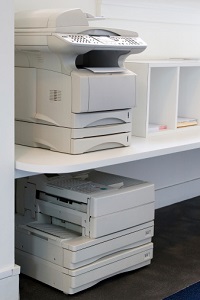
 The best way to get a solid return on your investment begins with choosing the right technology while keeping security in mind. When it comes to office technology, Marco's match-making skills can be game-changing. Marco helps businesses determine their print costs, how many devices they need, which devices make the most sense for their organization, and how to meet their print security needs.
Business offices that still use separate copiers, printers, scanners and fax machines should consider consolidating their fleet into a multifunctional device, so their organization is working more efficiently.
Copiers are multifunctional—they can copy, scan, print and more—which helps to speed up processes and cut costs.
Benefits of a Consolidated Fleet
There are many benefits to having a consolidated print fleet. The advantages are usually easier to see in larger organizations, but the same issues affect small businesses, too. These advantages include:
1. Work With One Vendor
By working with a Managed Print provider like Marco, you will streamline all of the tasks associated with managing your printers and copiers, and minimize your costs associated with printing. You will work with one vendor for service, supplies and repair, thus eliminating the need to manage multiple agreements with multiple vendors.
2. Save Office Space & Employee Time
 Although some multifunction devices might be larger than single-function machines, they usually save space compared to having several different machines. In addition, a multifunction device eliminates the need for employees to move between several different single-function machines to complete certain tasks.
A multifunction device saves employees time because one machine can scan while copying, or send emails while sending/receiving faxes. In addition, by using a multifunction device, employees can scan a document and send it by email as an alternative to faxing. Scanning to email reduces paper use, but it's also an excellent option in the event the recipient doesn’t have a fax machine, which is becoming more common in business environments. A cloud faxing solution might be a better route to go for some businesses.
3. Easily Track Usage
By working with a Managed Print provider like Marco, businesses can track machine usage using software and management services on their multifunction copier/printer. Tracking usage helps easily identify areas of waste, so businesses can cut expenses and save money.
One of the biggest benefits Marco's Managed Print customers receive is in-depth analytics. We capture how (and how often) each device is being used, and we catalog how much each device costs in maintenance, repairs and supplies. Based on your initial assessment, we recommend proper copy/print volume usage and print load balance to extend the life of your equipment. After implementation, we monitor your usage to help you make smart, data-driven decisions.
4. Print Securely
Every organization prints some type of secure information. For industries such as healthcare and legal, print security policies are essential. In businesses where security is less high-risk, private information still needs to be protected.
Marco's Managed Print Services can address all levels of security. Marco can install software on multifunction devices to prevent a document from printing until the employee who is printing it, scans an ID or enters a passcode on the machine to release the document.
Reap the Benefits of a Consolidated Fleet
Time is too valuable to manage single-use machines. By combining the functionality of a copier, printer, scanner and fax machine, multifunction printers help businesses clear the clutter, reduce expenses and streamline workflow by enabling employees to complete several different office tasks with a single device. Contact a Marco copier/printer specialist today to learn how your office can work smarter.
Request a free print assessment to learn more about the advantages of consolidating your office equipment and how it can reduce frustration, eliminate wasted time and save your organization money.