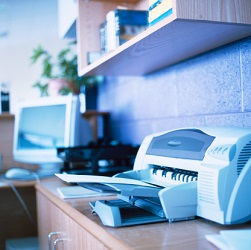
We see a lot of businesses that recognize their print technology processes may contain inefficiencies, but they don’t really know what exactly is wrong. One of the simplest and most cost-effective technology fixes is to limit the use of personal printers, which are almost always a poor allocation of resources.
Downsides to Personal Printers
Personal printers might seem harmless - after all, you're going to go through printer supplies either way, right? However, personal printers are generally more costly and inefficient; here are some of the reasons why:
- You may be ordering unnecessary quantities of printer supplies
- Many small personal printer supplies are less efficient than departmental printers
- You will likely have uncontrolled expenses from unknown and unauthorized supply orders
- Employees may persist in using personal out-of-date, inefficient printers even after the office's central printer is updated
- There is less accountability in terms of how the printer and supplies are being used
- Employees can lose time fiddling with malfunctioning personal printers, instead of allowing a central office printer to be quickly fixed by the key operator or your print provider
- Management of devices, connectivity and supplies is challenging
All of these issues can have a significant effect on your monthly bottom line, in the form of lost productivity and unnecessary supply and support costs.
Why Curb Personal Printers Now?
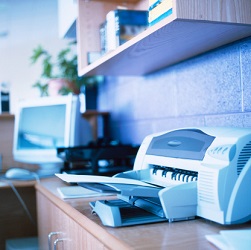 There are more options now than ever before when it comes to centralized printing. At one time, all computers needed to be physically connected to the printer, either directly or through the network, which can take some skill. For some businesses, it was easier to just set up each employee with a desktop printer than to integrate their printer fleet via networking, giving all computers access to a set number of approved printers.
Additionally, personal printers may be preferred by some employees because they aren’t comfortable using high-tech multifunction devices. It is just easier for them to use their own printer.
Methods of connectivity have changed. Today:
- Even laptops and offices that rely on cloud computing can print wirelessly to a central printer
- Print providers and/or key operators can train employees on equipment features and capabilities
- High-quality multifunction devices are designed to handle multiple jobs and print, scan and copy more quickly and efficiently than ever before
Now it is much more cost-effective and efficient to provide departmental and centralized equipment and supplies for your entire organization.
Implementing Change
In some cases, you might find that employees are resistant to making the switch and they may persist in using personal printers. For that reason, we recommend setting a final “switch-over” date. This gives your employees a deadline, providing motivation for action and it is the perfect opportunity to establish control of your printing technology.
Give your employees notice of the date and let them know personal printers will be collected and recycled.
To make the switch a little easier, have your key operator schedule training sessions on all printing equipment and capabilities for those who don’t feel comfortable using your approved devices. Also, provide and post cheat-sheets for new equipment capabilities and quick-fixes for malfunctions.
On switch-over day you can also:
- Cancel any repeating orders for personal printer supplies
- Sell, recycle or donate the old printers
- Sell, recycle or donate any extra, unneeded supplies
- Make sure that all supplies are centrally located with the new printing devices
Going through these steps should make the switch from personal printers to approved devices easier on you and your employees, plus it is the first step toward controlling and managing your printing supplies. This process, although challenging, will positively affect your bottom line.
Request a free, no-obligation print assessment to discuss with a technology advisor how a print provider can assist you through the process of switching from non-approved, personal printers, to approved, centralized devices, increasing your productivity.










