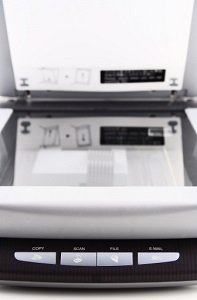
 The office scanner toils away in silence every day in small and large businesses. In order to keep your scanner operating at peak levels, and to help avoid additional maintenance expenses, it is important to develop and communicate a set of do’s and don’ts regarding your office scanner. While some of these may seem like common sense pointers, you can never take too much precaution when it comes to protecting your office equipment.
Usage Do’s and Don’ts
How you and your employees use the office scanner on a daily basis is the most important factor in maintaining peak performance levels. As simple as it seems, this is often the greatest source of trouble with many scanners, because users tend to focus more on the project they are engaged in, and less on how they are using the office scanner.
For example, when an employee is tasked with creating copies of a multipage document, how often do they stop to think about the staples? Many modern multifunction devices have staple detection, but not all office scanners do. The staples, while innocent enough, pose a threat to the glass on your office scanner. When those staples scratch the glass it creates imperfections that become noticeable in all future scans.
Operational Do’s and Don’ts
The type of documents scanned, copied and stored to your network via the office scanner are just as important to consider as the manner in which the device is used. For starters, in order to get the highest quality scans and copies possible, your employees should have access to an office scanner that is capable of high-quality output. For example, a low-level scanner that is incapable of copying media-rich materials is a poor choice for creating reproduction of travel brochures.
Likewise, the type of scanning conducted in your office is critical. If your business routinely produces high-volume copies, a slow scanner with low-volume output is inefficient to meet that demand. Not only does it fail to meet the demands of your employees, the added stress of high-volume projects on an office scanner not prepared for that level of work creates premature wear and tear on the device.
Cleaning Do’s and Don’ts
When your employees clean the office scanner, there are a number of do’s and don’ts to keep in mind. Following these helpful tips will ensure that your scanner is cleaned properly and remains in working order.
- Cleaning the glass: Never spray a glass cleaner directly on the scanner’s glass surface. Liquids can leak through small cracks in the glass and create condensation underneath that negatively impacts the quality of scans and copies.
- Using cloths: Never use paper towels or tissues to clean the scanner’s glass. Rough textures can scratch the glass or leave residue on the surface. Dampen a soft cloth with alcohol (or other cleaner) and gently wipe down the glass surface.
- Frequency: There is no standard guideline for cleaning frequency. A good rule of thumb is to clean the machine once a week, especially if high-volume projects are completed regularly. For details specific to your office scanner, consult the manual provided by the manufacturer.
- Preventative tips: Fold the feed trays into a closed position when not in use. This reduces the chance of people bumping into them or otherwise damaging the trays. Additionally, when closed, the trays will not collect dust or other debris from the office that could be sucked in with papers from the feed trays.
Where you place the scanner within your office is also an important consideration. Avoid placing the scanner near entry doors, windows and high-traffic areas. These places increase the possibility that moisture, dirt and other debris in the office can clog and otherwise infiltrate your office scanner.
Purchasing Do’s and Don’ts
Last but not least, consider the following do’s and don’ts when it comes to purchasing supplies and supporting programs for your office scanner:
- Volume: How frequently do your employees complete high-volume scans and copies? Understanding the daily-duty cycle is critical in keeping paper stocks at appropriate levels to match volume.
- Types of Documents: What types of paper are used on a daily basis in your business? Do you generate copies of invoices, carbon copy forms or checks? When you understand those needs, you can order the proper paper stock at appropriate levels.
Additionally, you should keep in mind the electronic infrastructure you are scanning documents into. Transferring stacks of disorganized papers into an electronic collection of disorganized papers is not a solution. There are software programs and office scanner features available that help your employees properly label documents as they are scanned, and then distribute them to proper folders on the company network.











