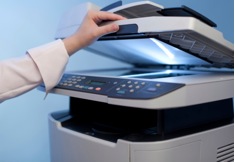
Before the computer came along and streamlined document storage in the workplace, offices were cluttered with piles of papers and endless rows of file cabinets, many of which were overflowing with documents. Prior to today’s document scanning and storage solutions, file cabinets and paper documents were the only way to record and maintain detailed files on business operations, employees and clients.
Today, computers and cloud technology are making it easier for companies to reduce paper documents and navigate toward an office with less hard copy file storage. In an era when everyone is talking about "going green," document scanning and storage is often discussed solely in terms of environmental responsibility. Yes, paperless document scanning and storage is better for the environment. However, there are many other benefits that your company can enjoy when it goes paperless.
Document Scanning and Storage Explained
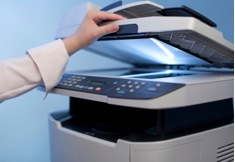 First and foremost, it is important to understand the scanning portion of going paperless. The decision to reduce your number of file cabinets and endless stacks of paper documents doesn’t mean an intern has to spend the next two years at a computer indexing each document for search terms.
Document scanning and storage solutions make it much easier for any office to transition to an electronic filing system. Advanced scanning systems are capable of helping your company convert paper documents into electronic documents that are stored on company servers. Advanced optical character recognition and intelligent character recognition help eliminate errors in document scanning.
These technologies are capable of reading through every document you scan to find key terms and formats. The system learns to associate terms and formats with particular document types. Going forward, you’ll be able to scan invoices, employee expense reports and customer order forms, and easily store them in the appropriate electronic file folder.
Benefits to the Business
Again, document scanning and storage is about more than going green. Yes, your company will save money on paper, dedicate less office space to file cabinets and waste fewer resources. The true benefits of going paperless lie in the improved workflow and flexibility of your new document storage system.
File Formats
With files stored electronically, the employee productivity improves exponentially. For example, electronic document storage gives your employees the ability to store and access multiple formats for a document.
Once your files are converted through document scanning, your employees can instantly access the same file in each of the stored formats. Different versions can be stored on the company servers and employees have instant access to the file in the format they need, when they need it.
Sharing & Sending
Sending and sharing files just got easier too. As just mentioned, paper documents had to be scanned and saved on a hard drive in the past before being shared. In some cases, copies had to be made and money spent to securely ship documents in the mail. With your company’s files stored electronically, your employees can send them via email, share them over the server at work or place them in enterprise document management systems (such as SharePoint) to share them with coworkers or clients.
Personalize Workflows
Document scanning and storage also makes it simple for administrators and group managers to personalize workflows for their employees. Files can be scanned and uploaded, and administrators can configure file folders and settings that notify an employee to take action on a specific document for processing.
Secure Data & Information
Last but not least, electronic document scanning and storage helps secure the sensitive information your company handles on a daily basis. Electronic file folders and servers can be secured with software programs that restrict access to folders, subfolders and specific files to those employees with the clearance to access them. Additionally, security programs can prevent hackers from gaining network access, while tracking who accesses what files.
As you consider document scanning and storage for your business, think beyond the concept of "going green," because the benefits don’t end there. To talk with a specialist about solutions for your business, request a consultation.





.jpg)




