We all love free apps and communication tools that make our lives easier. We use them as consumers, and we use them from home, but when you bring those same tools to your work setting, things can start to get messy. Let's take a look at a few of the ways those free communication apps end up costing businesses.
The It Department May Not Love Those "Free" Apps
 "Free" apps (Slack, ezTalk Meetings, Trello, Fuze, Microsoft Lync and Wrike) can be an IT department's worst nightmare ... why? First off, communication tools like Skype, Google Chat or Dropbox may not be compatible with the systems your company has in place. Chances are, your organization already has a chat tool, a video conferencing system, a way to share documents - and none of them work with the free software you personally use. In fact, it might cause real problems if you do try to use free software at work. Oftentimes, they don't synchronize, and IT has limited to no access to the administrative privileges.
These tools are typically made for individuals, not businesses. And because they are free, there are no guarantees about service. If you lose your connection to Grandma on Skype, no big deal. If you lose your connection to your clients as you are finalizing a contract with them, that’s a big deal.

Ever Tried to Call a Free Software Provider With a Question?
There is little to no support for free apps. That’s one reason they're free. If you can’t figure out what’s wrong or how to use the program, you're on your own most of the time. You can probably guess your company's IT department may not be pleased if you come to them with questions about a program they don’t support.
These products don’t always work well with other communication systems. Trying to use a personal Skype account to call a ten-digit number or four-digit extension in your office and you're out of luck. If you choose to use Google Drive when your company has invested in Sharepoint and OneDrive, the other party might not accommodate your choices.
Free apps are great, but when you try to use them in a business environment, they usually aren't "free" for long. They typically offer fee-based business upgrade options. But when they're free, the delays, frustrations and technical difficulties have a cost. You end up with multiple, disjointed, non-flowing software systems.
But rather than forbidding the use of free apps at work, there is a way to have the best of both worlds ... free apps and business-appropriate communication tools.
Group Communication Apps Made for Business
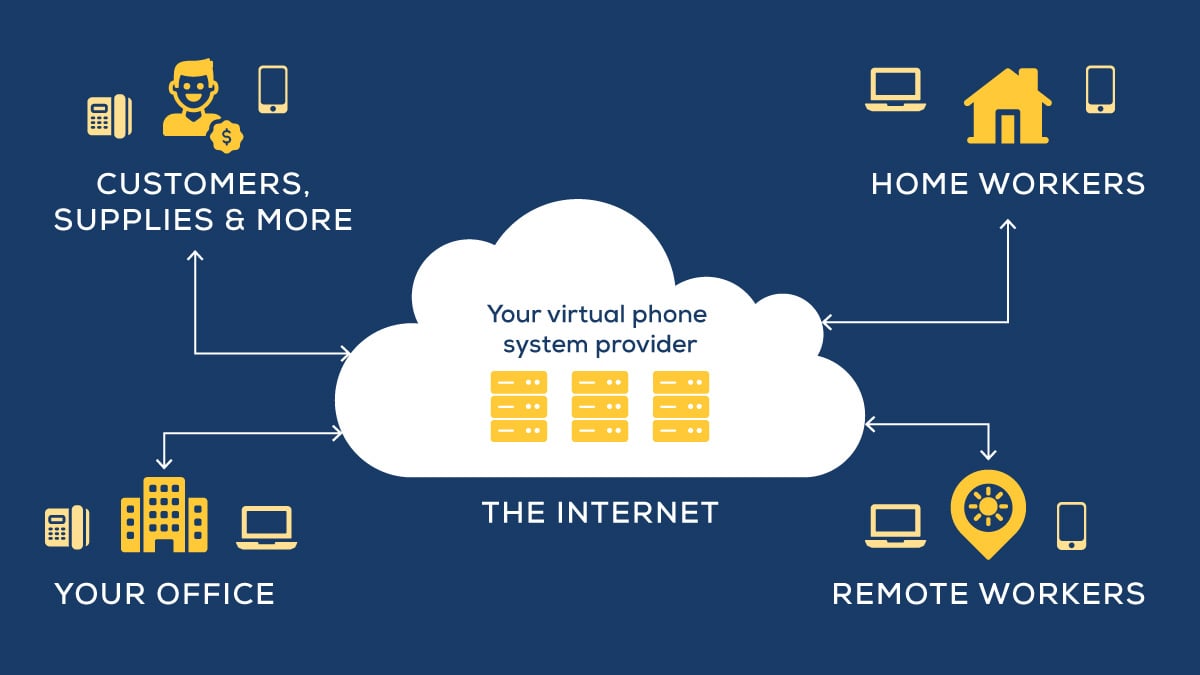
Unified Communications as a Service (UCaaS) can bring lots of communication tools together - the ones preferred by employees who use certain free apps at home and the ones your business has established as part of their IT policy. It does this by using API’s to interconnect the tools and incorporate them into your phone system. Another benefit is the ability to utilize Launch Pad - software to launch third-party applications and tools.
Federation, for example, is a feature of UCaaS that can make your chat tools work across different platforms, allowing your employees’ favorite chat program to communicate seamlessly with the chat apps their clients might be using. This kind of unification can happen with many, if not most, of the communication systems your company has already invested in. It will also give you the reporting, analytics and capabilities you depend on while still allowing employees to use the tools they are comfortable with.
With UCaaS, your employees can bring their apps to work, and your phone system can adapt to them. More importantly, these tools can be merged into your existing communications systems, so you get all the benefits of your telephony network with the most up-to-date apps and programs.
Next time your coworkers want to use their consumer-grade free apps at work, you can say yes, because UCaaS can accommodate your employees' communication preferences.