Lost revenue, idle staff, and recovery time. These costs are often unaccounted for when people think about IT downtime. But add them all up, and they’re quietly costing businesses hundreds of thousands of dollars a year.
So in this blog, I’ll explore how to calculate yours and also the best ways to prevent it.
What's the average cost of downtime?
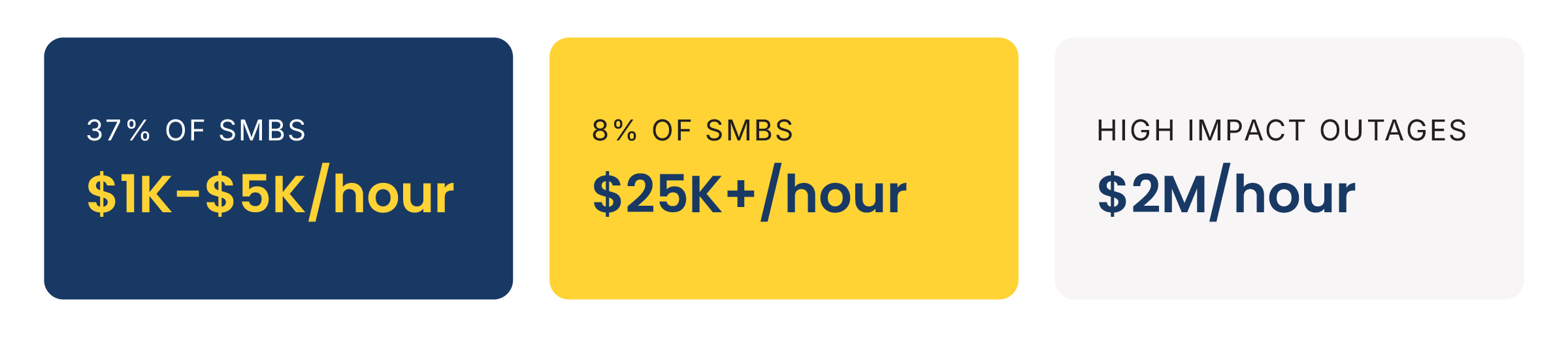
There's no single number that applies to every business, but recent research gives a clear range:
- 37% of SMBs report downtime costs $1K–$5K an hour
- 8% of SMBs report costs exceeding $25K an hour
-
High-impact outages carry a median cost of $2M an hour, or roughly $33,000 a minute, with a median annual cost of $76M
Remember CrowdStrike’s outage back in July, 2024? That single failure cost US Fortune 500 companies $5.4 billion in direct losses in a single day — not including Microsoft.
But direct losses aren’t actually the total picture.
How IT downtime costs are calculated
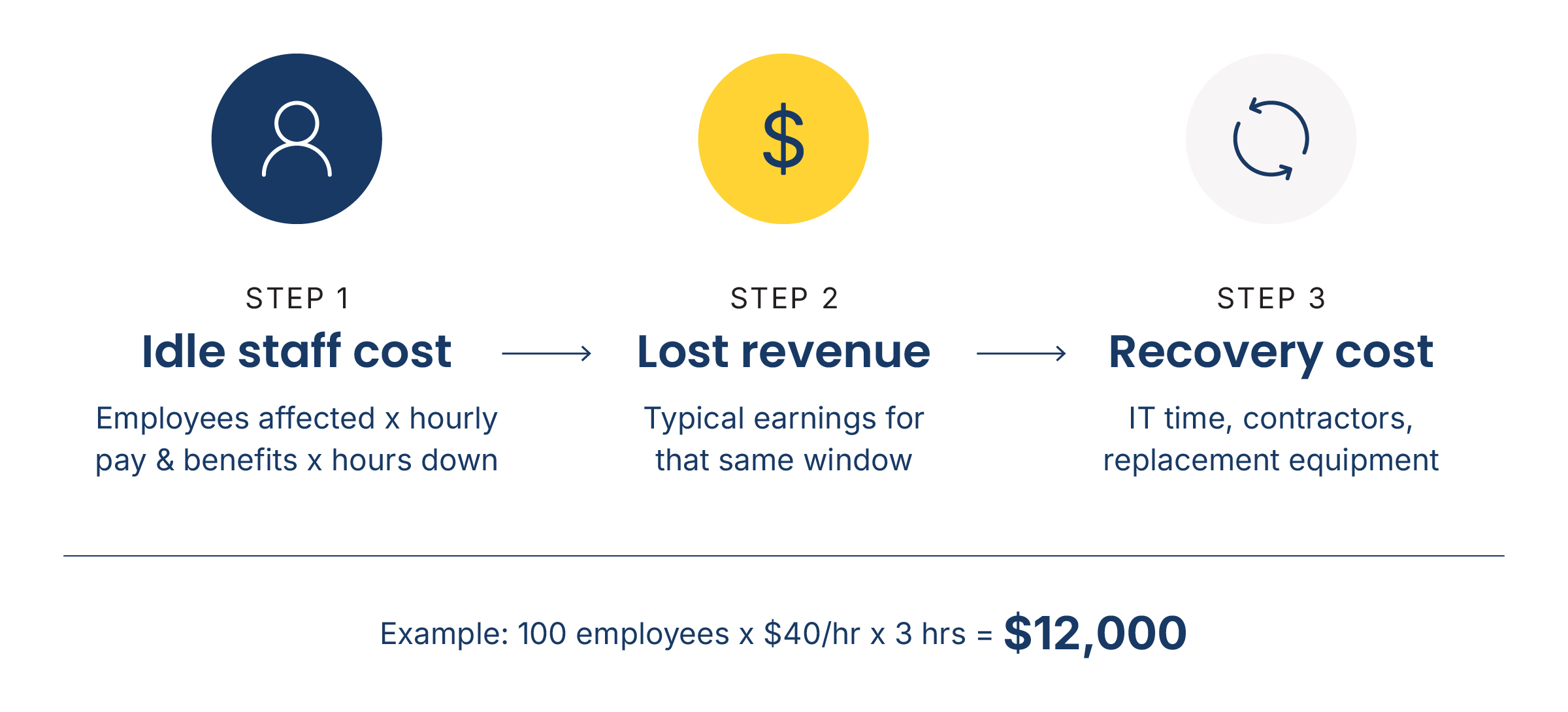
You can build a working estimate for your own business in three steps:
Step 1: Idle staff cost. Multiply the number of employees affected by their average hourly pay and benefits, then multiply that by the hours of downtime.
Step 2: Add lost revenue. Estimate what your business typically earns in that same window, based on average hourly sales or billings.
Step 3: Add recovery cost. Include IT time, contractor fees, and any replacement equipment needed to get back online.
A quick example: A 100-employee business paying an average of $40 an hour in wages and benefits loses $12,000 in idle staff time alone during a three-hour outage — before counting a dollar of lost revenue or recovery cost.
There are other costs that are often harder to factor in — like the loss of reputation and potential compliance risks.
What else affects downtime costs?
Three factors change the math for any given business.
Industry
Businesses that depend on being online every hour — like ecommerce, financial services, and healthcare — take a bigger revenue hit per hour of downtime than businesses that can shift work to catch up later.
Regulated industries such as healthcare, legal, and financial services also can face compliance risks that can affect overall costs.
Organization size
Larger businesses generally see a higher total cost, simply because more employees and more revenue are affected per hour. Smaller businesses often see a lower total, but have less cash on hand to absorb an extended outage.
Business model
A manufacturer whose systems run production lines loses output the moment those systems go down. A professional services firm that bills by the hour loses billable time. A retailer that takes online orders loses sales in real time.
Essentially, the way your business runs affects which costs hit the hardest.
What causes most unplanned downtime?
Most downtime doesn't come from a single dramatic event. It comes from a handful of familiar, preventable causes:
- Hardware failure, often due to aging infrastructure
- Human error, from misconfigurations to accidental deletions
- Cyberattacks, including ransomware that locks systems until a ransom is paid or backups are restored
- Power and connectivity failures for businesses without redundant systems
- Software updates or cloud migrations that weren’t properly tested first
How to lower the cost of network downtime
The businesses that recover fastest from an outage planned for it well before anything went wrong.
That preparation comes down to five things:
Build and test a disaster recovery plan
A plan only means something if it's been tested under real conditions, not just written and filed away. That means regular, secure backups, a documented recovery process, and a clear, tested answer to "How fast can we be back online?"
Communicate early and clearly during an outage
Employees and clients handle downtime better when they know what's happening and when to expect an update, even if the update is "We're still working on it."
An outage that goes unexplained tends to do more damage to client trust than one that's handled with clear, frequent updates.
Don't let one failure take down everything
Any single point of failure can be a significant business risk. Building in redundancy means no single piece of hardware or connection can take the whole business offline by itself.
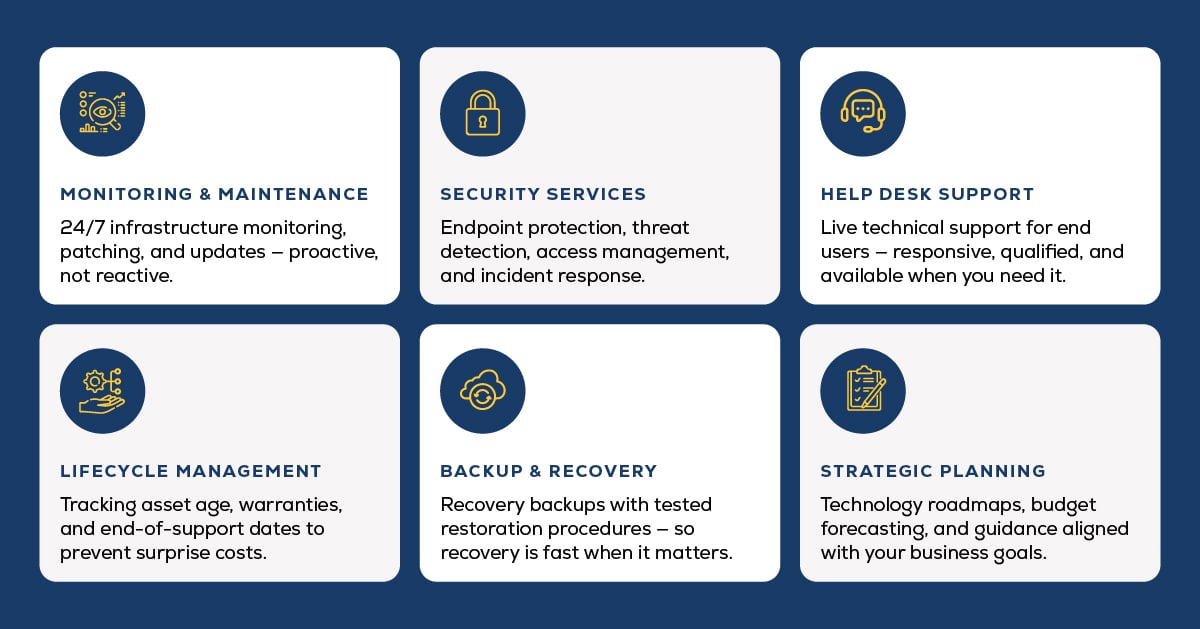
Catch and solve underlying problems Moving out of a constant break/fix mode and into more proactive IT is key to preventing downtime.
Review what happened after every outage
Every outage, big or small, is a chance to find out what actually broke and fix it before it happens again.
Skipping this step usually means solving the same problem twice.
Plan for vendor failures, not just your own
Who could forget it when that routine software update from CrowdStrike crashed Windows systems worldwide, all at once?
Instead of just failing, those machines got stuck in a reboot loop, and IT teams had to fix each one by hand — there was no quick fix that worked at scale. Flights were grounded, hospitals rescheduled procedures, and banks and retailers couldn't process transactions, all because of one vendor's mistake.
The lesson: Build your disaster recovery plan around that kind of failure too. Know how you'd isolate or roll back a bad update, and know who makes that call.
Frequently asked questions
A few questions I hear most from businesses trying to estimate their own exposure:
What's the difference between planned and unplanned downtime?
Planned downtime is scheduled in advance, like maintenance or a system upgrade, and can be timed around low-traffic hours.
Unplanned downtime is unscheduled and unpredictable, which is why it tends to cost far more and cause more damage.
What's included in the cost of downtime beyond lost revenue?
The cost of downtime beyond lost revenue includes idle staff time, the recovery itself, missed service level agreements, and the potential loss of clients who had a bad experience during the outage.
Does downtime cost more for some industries or company sizes?
Downtime typically costs more for online-dependent businesses like ecommerce and financial services, and for regulated industries such as healthcare and legal that carry added compliance risk.
What's the most effective way to prevent IT downtime?
The most effective way to prevent IT downtime is pairing proactive monitoring with a tested disaster recovery plan, so problems get caught before they become outages and a fix is already mapped out if one happens anyway.
Marco's managed IT services build both into ongoing support.
How quickly should a business expect to recover from an outage?
How quickly a business recovers from an outage depends on the cause and how well the recovery process was planned. Businesses with a tested disaster recovery plan and current backups typically recover in hours, while those without one often take days.
The easiest way to avoid IT downtime costs
Downtime isn’t just expensive. It can be incredibly frustrating for staff and clients.
That’s why our managed IT services are built around preventing problems — not just responding to them quickly. We’ve also invested in sophisticated tools that make it easy to see which equipment is causing the most problems.
If downtime is something your business can’t afford, our fully managed IT services could actually save you more than they cost.
Ask us to run those numbers with you, or click the link below to get an estimate.