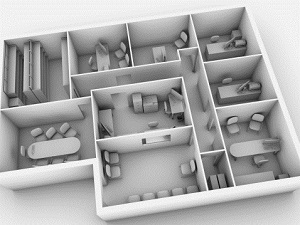
Proper location of your print equipment is key to maximizing the efficiency of your employees and machines. It’s important to take the time to assess how your office machines and printing resources are placed throughout your office.
Draw a Map & Think It Through
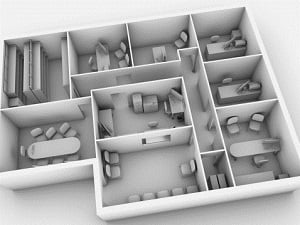 The placement of office technology directly effects how productively each individual employee can work, which in turn affects overall business performance.
So, before you begin ordering or placing office machines, take the time to determine what types of printing your employees require and where they are located. Next, map out your office based on these discoveries, placing suitable equipment appropriately to enhance your office’s workflow.
Finding the Right Device Location
Although the placement of office machines may seem like a minor concern, there are many advantages to strategically placing equipment. Consider the following elements when you are developing your placement strategy:
Accommodate Your Users
Different users have different printing needs. For example, your marketing department very likely has different printing needs than your accounting department. Marketing may require a more robust machine that can produce high quality color and high quantity print volumes with advanced finishing techniques. Your accounting department on the other hand may be able to share a printer that has fewer functions with another department.
Another example is users needing various forms of media, such as labels, thick cardstock or larger sized paper. Placing a device that can handle multiple media types closest to those users is very important as well.
If your office only requires one machine, determine the functions needed and place it closest to those who use it most frequently. Avoid placing it in one employee’s office as it causes disruptions if other employees use it.
Each organization has its own requirements, making it difficult to provide a general recommendation. Think logically and place your equipment where it makes the most sense for the most people.
Proper Machine Environment
Proper placement in accordance with manufacturer storage recommendations is another thing to consider. Printers shouldn’t be placed in areas where they are at risk of becoming too hot or too cold. Extreme temperatures can affect the quality it produces as well as the lifespan of the equipment.
Additionally, don’t place your printing equipment in areas where there is a risk of physical damage. For example, high traffic areas may increase your printer’s risk of being frequently bumped or moved; printers placed next to water fountains or coffee machines are subject to spills; and office equipment placed in dusty workshops or manufacturing environments can cause performance issues.
How Many Printers?
Some choices regarding how many office machines to have are easy. For instance, if you have a multi-floor office, each floor probably needs its own printing device. Beyond that, start by asking yourself these questions to determine how many printers your organization needs to perform most efficiently:
- How much printing, scanning, faxing and copying is done in the office?
- Which departments do the majority of the printing?
- What types of projects are they printing?
- What functions are missing and/or which aren’t being used by certain departments or employees?
- Are there frequent delays in your printing requests?
- When and why do these delays occur?
- Are certain employees complaining about printing convenience?
Answering these questions and referring to the tips above should help you determine if your existing office machines are placed according to your office’s needs or if you need additional or different equipment to accommodate your users. An experienced print provider can help you define an effective equipment strategy for your office. Request a free print assessment to get started.











