Is your printer having a lot of mechanical failures? Before you blame your printer, you might want to rethink its placement. Believe it or not, you can avoid a lot of frustrating printing issues by putting your printer in a place where it can function at its best.
So in this blog, we’ll talk about the environmental factors that can turn your reliable printer into a constant headache — and how to set it up for success from day one. But first, let’s answer a frequently asked question.
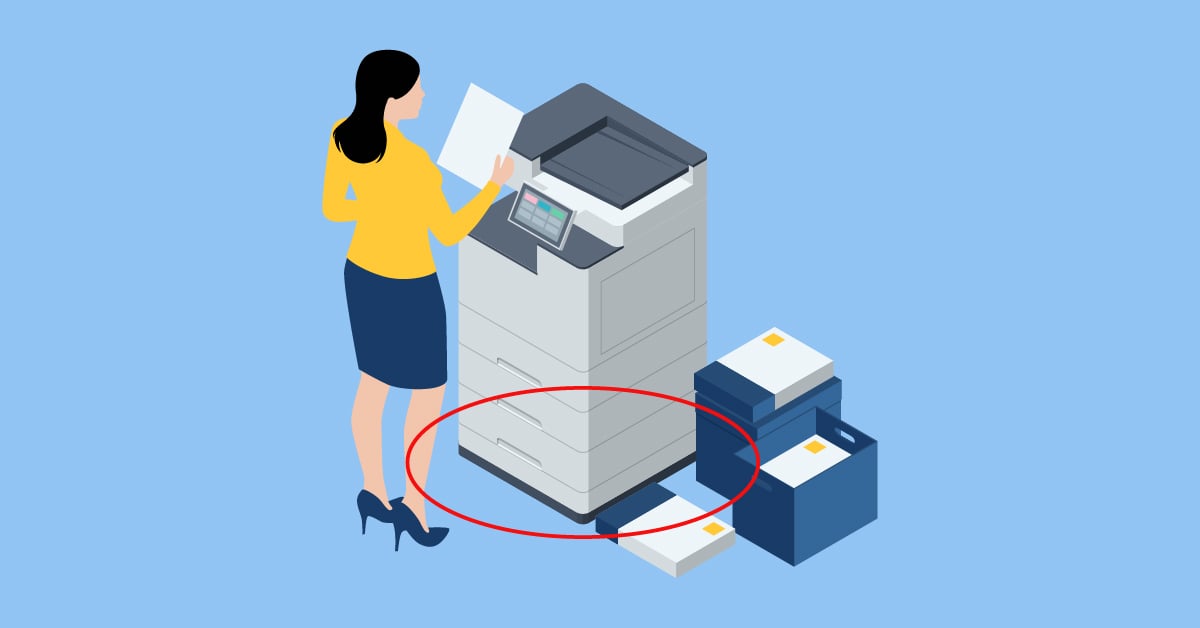
Is It Safe To Put a Printer on the Floor?
We don’t recommend it. You'll get better performance, longer equipment life, and happier users by placing it on an appropriate surface at a comfortable working height.
If you don’t have a good alternative, though, here’s what we recommend:
- Use a raised platform or mat to get the printer off the direct floor surface
- Make sure the area is cleaned more frequently
- Keep it away from high-traffic walkways
- Make sure there's still adequate ventilation space around all sides
There are a number of reasons why printers shouldn’t go on the floor, and we’ll cover that next by explaining what ideal printer placement looks like.
Your Marco-Approved Checklist for Business Printer Placement

When our team walks through a client’s space, we take a lot into consideration, including which teams need to print the most. Printer placement is an art, not a science. That said, here are our non-negotiables.
1. The Area Is Clean
Your printer is essentially a precision machine that moves paper through rollers and applies toner or ink with incredible accuracy. When dust and dirt get into that system, things start going wrong fast.
Here are a few tips to keep your printer (and its environment) clean:
- Store your printer in a low-traffic area to minimize dust exposure
- Avoid touching the printer glass with your fingers (oils cause streaks and spots)
- Vacuum or sweep around the printer area regularly
- Clean all printer surfaces with an electrostatic cloth on a regular schedule
- Keep the incoming paper tray clean and free of debris
2. The Humidity Level and Temperature Are Acceptable
This one surprises a lot of people, but temperature and humidity play a huge role in printer performance. Your printer should be operating in a temperature range of 65-75°F (18-24°C) with relative humidity between 40-60%. If you can avoid it, don’t have your printer near a window, heating vent, or air conditioning unit.
When conditions are too hot, cold, or humid, several things can happen:
- Paper absorbs moisture from the air, causing it to become wavy and curl
- Toner doesn't fuse properly to the paper
- Paper feeding mechanisms don't work smoothly
- You get more paper jams and print quality issues
3. The Space Is Contaminant-Free
Even if you've got the perfect clean, climate-controlled environment, your printer can still run into trouble if users bring contaminants into the printing area.
Here are a few no-no items near your printer:
- Food and beverages
- Sticky fingers from snacks
- Documents with staples, paper clips, or tape still attached
- Post-it notes that fall off and get stuck in the mechanism
4. It’s Easily Accessible To Departments That Print Frequently
Beyond environmental factors, where you physically place your printer can make or break your office productivity. Here are the key considerations:
Place your printer where most employees can reach it without taking a cross-country hike through the office. High-traffic areas work well because they're convenient, but make sure you're balancing accessibility with the cleanliness concerns we mentioned earlier.
5. There’s Adequate Floor Space
Printers need breathing room — literally. Make sure there's plenty of space:
- In front for people to use the machine comfortably
- Behind and to the sides for air circulation and maintenance access
- Around the paper trays so they can be pulled out fully
Poor ventilation leads to overheating, which shortens your printer's lifespan and causes performance issues.
6. It Meets Electrical and Network Requirements
Before you fall in love with a location, make sure it has:
- Sufficient electrical outlets (printers can be power-hungry)
- Network connectivity
- Easy cable management so cords aren't creating trip hazards
7. It Won’t Cause Noise Distractions
Printers can be loud, especially when they're running big jobs. Keep them away from:
- Areas where people take phone calls
- Quiet zones where employees need to concentrate
- Meeting rooms where the noise could be disruptive
8. It Won’t Facilitate Bad Habits
Not to get overly controversial in a print placement blog, but personal printers can cause a lot of unnecessary work for IT teams, and they can also lead to a lot of wasteful printing. Some staff will have a legitimate need for a personal printer, but we find that when employees have to get up and walk to a printer, even if it’s a few feet away, they tend to make smarter decisions about what to print.
The Overall Impact of Poor Printer Placement

Why spend time worrying about where to put a printer?
We put a lot of thought into it when we work with clients because placement can make a huge difference in your print efficiency and costs.
Over time, poorly placed printers cause:
- More service calls and downtime
- Poor print quality
- Subpar reliability and performance
- Decreases in the lifespan of your printing equipment
So, is it worth it to rethink where your printer is located? Yes! If your printers haven’t been performing well, moving them could have a significant impact.
If you need help, our team can assess your current environment and help you create a printing solution that works reliably for years to come. Because when your printers just work, everything else in your office flows more smoothly too. If you’re in the market for a new printer, we’ve also made that much easier. Click the link below to take our handy printer quiz.