Most businesses didn't set out to build a cloud-native environment. They started using Microsoft 365, added a cloud-based phone system, migrated a few workloads to Azure or AWS, and gradually found themselves running a technology environment that looks very different from what they had 5 years ago. The security model protecting it, though, often hasn't kept pace with that shift — and that gap is exactly where attackers are finding their way in.
Cloud-native security is the approach to protecting environments built and run in the cloud, designed for how those environments actually work rather than how traditional networks did.
How Cloud-Native Security Differs From Traditional Security
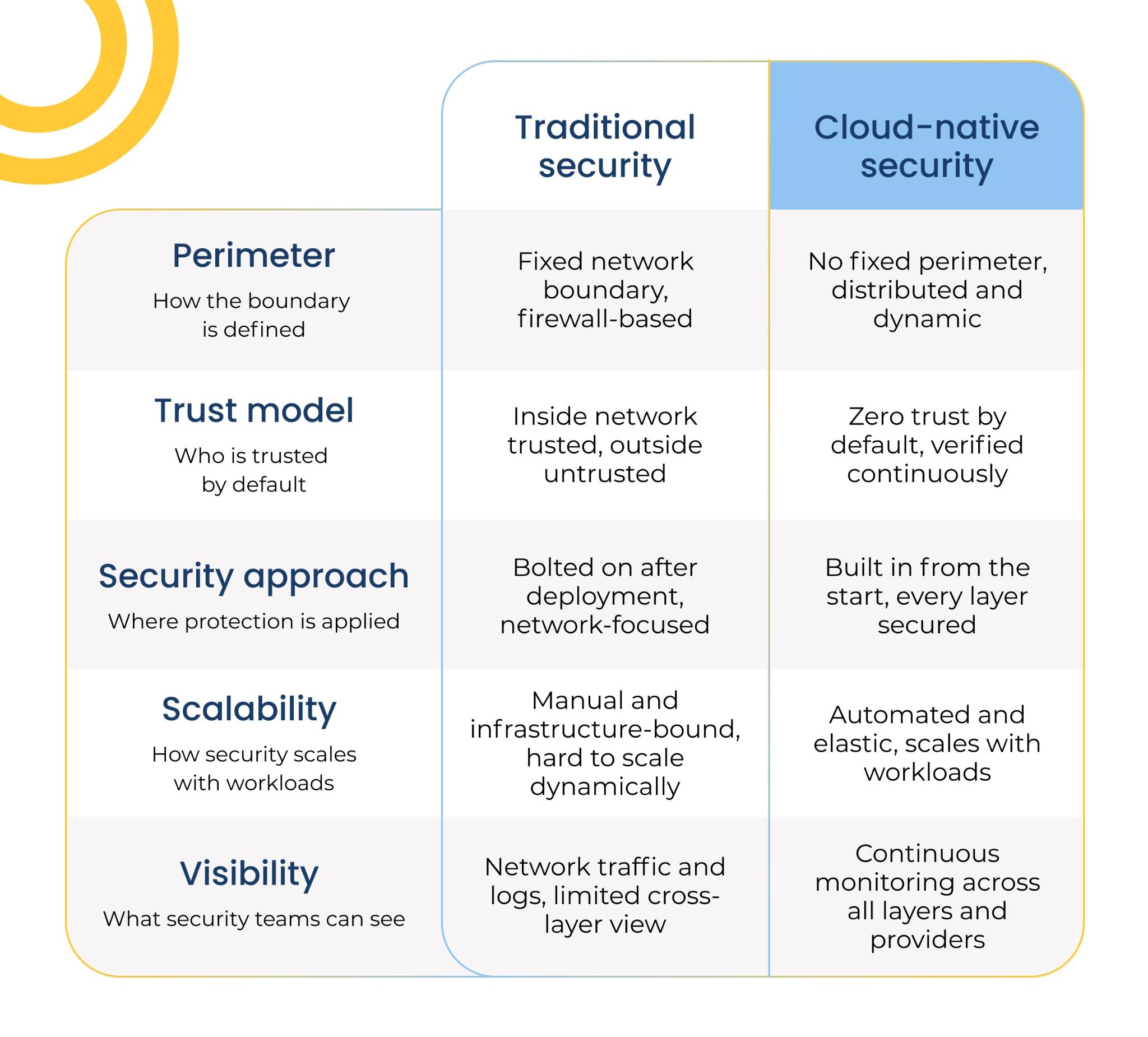
Traditional security was built around a perimeter. Firewalls, network boundaries, and physical data centers made that model work reasonably well when everything lived in one place and access happened inside a defined network.
Cloud-native environments don't have a fixed perimeter. Applications get accessed from anywhere by any device. There's no single wall to protect — there's a constantly shifting ecosystem of services, users, data, and access points, any of which can become a vulnerability if not properly secured.
That single shift changes the security model fundamentally.
Instead of focusing on keeping threats outside a network boundary, cloud-native security focuses on securing each layer of the environment individually — from the infrastructure your cloud provider manages, down to the code your applications run. The assumption isn't that everything inside is safe. It's that threats can emerge from anywhere, and security needs to be built into the environment from the start rather than added on after the fact.
What Are the 4 Cs of Cloud-Native Security?
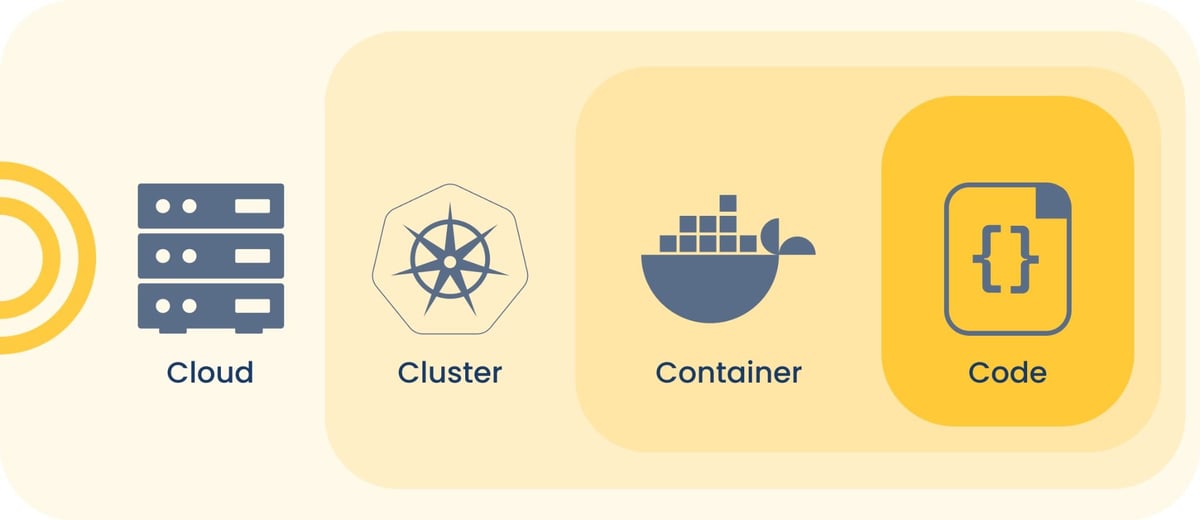
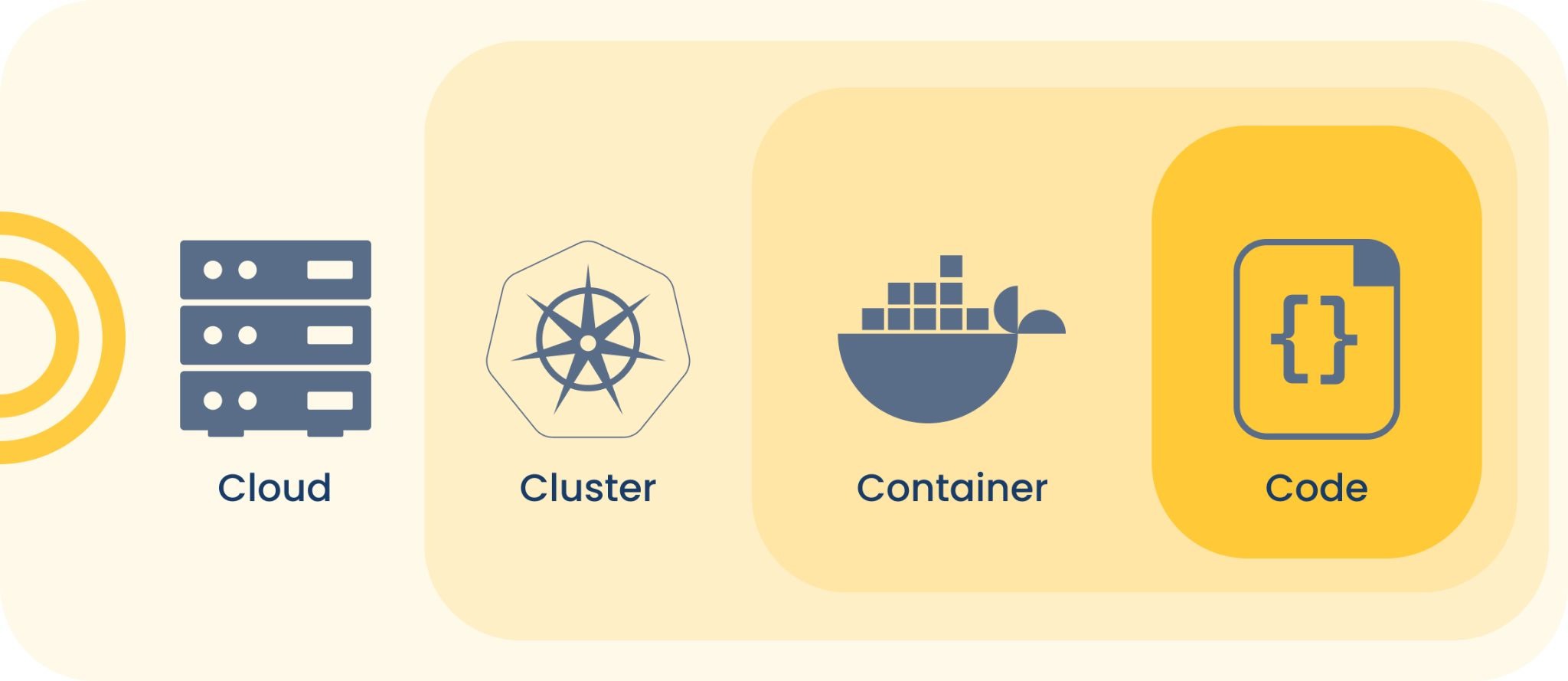 One of the most widely used frameworks for thinking about cloud-native security is the 4 Cs model: Cloud, Cluster, Container, and Code. Each represents a distinct layer of a cloud-native environment, and each requires its own security approach.
The important thing to understand about this model? The layers are interdependent. A vulnerability at the foundation — the cloud layer — can undermine everything built on top of it. Securing your code doesn't help much if the infrastructure it runs on is misconfigured.
1. Cloud
This is the foundational layer — the infrastructure your cloud provider manages. Your cloud provider is responsible for securing the underlying hardware and platform, but under the shared responsibility model, your organization is responsible for configuring that environment securely.
Common failures: An open port, an overly permissive access policy, or an improperly configured storage bucket can expose data without any malware involved.
2. Cluster
A cluster is the orchestration environment that manages how your applications are deployed and run — Kubernetes being the most widely used example. Cluster security focuses on controlling who and what can access the cluster, how components within it communicate, and how workloads are isolated from one another.
Common failures: Weak access controls and overly broad permissions at the cluster level give attackers access to every application running within it — not just one.
3. Container
Containers package applications and their dependencies into portable, isolated units. They're efficient and flexible, but each container is a potential attack surface. Container security involves scanning images for known vulnerabilities before deployment and monitoring containers at runtime for unusual behavior.
Common failures: Unscanned container images with known vulnerabilities, containers running with more privileges than necessary, and runtime activity that goes unmonitored.
4. Code
The innermost layer is the application code itself. This is where secure development practices matter most — proper authentication, encrypted data handling, and protection of APIs and exposed endpoints.
Common failures: Vulnerabilities introduced at the code level — weak authentication, exposed APIs, unencrypted data — persist through every layer above, and are significantly more costly to remediate once they reach production.
What Are the Best Practices for Cloud-Native Security?
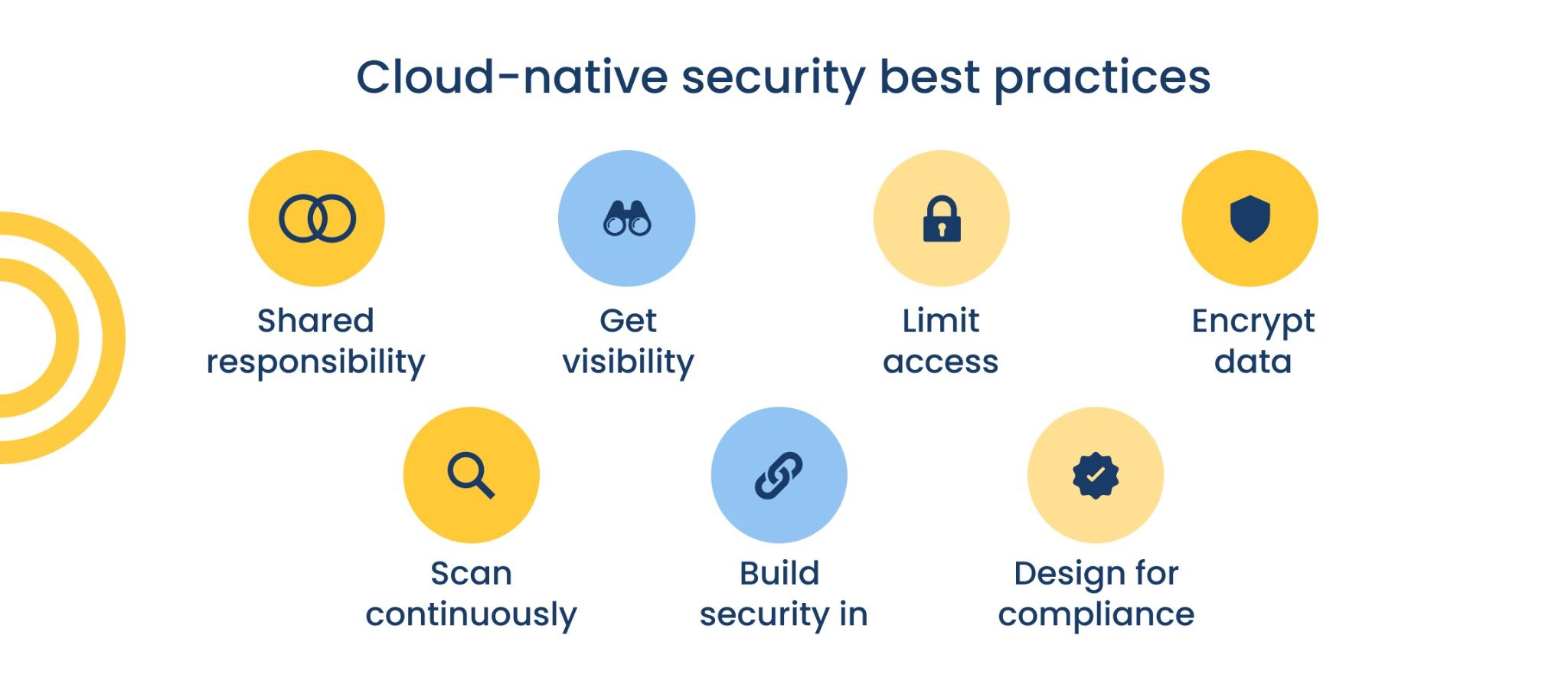
Effective cloud-native security doesn't require a complete technology overhaul. For most mid-market organizations, it starts with a few foundational practices applied consistently:
Know Your Shared Responsibility
As we mentioned earlier, your cloud provider is only responsible for securing the infrastructure itself. Everything built on top of it — configuration, access, data, applications — is your responsibility.
Start With Visibility
You can't protect what you can't see. Continuous monitoring across your cloud environment — covering configuration, access, and activity — is the baseline for everything else.
Enforce Least-Privilege Access
Every user, application, and service should have access only to what it needs to function. Identity and access management is one of the highest-value investments in cloud-native security.
Encrypt Data at Rest and in Transit
Encryption is a foundational control that's easy to overlook when moving quickly in a cloud environment. Data stored in cloud services and data moving between them should both be encrypted — and those settings should be verified, not assumed.
Scan Continuously, not Occasionally
Vulnerabilities in container images, cloud configurations, and application dependencies are identified and exploited quickly. Continuous scanning — rather than periodic assessments — keeps you ahead of the window attackers look for.
Build Security Into Your Development Process
Catching vulnerabilities in code before deployment is dramatically less expensive than remediating them afterward. This is the core idea behind "shifting left" on security.
Design for Compliance
For organizations in regulated industries — healthcare, financial services, legal — cloud security and compliance aren't separate workstreams. Building compliance controls into your cloud environment from the beginning is significantly more manageable than retrofitting them after the fact.
Frequently Asked Questions About Cloud-Native Security
Cloud-native security comes with its own vocabulary, and it's not always clear what the terminology means in practice. Here are answers to some of the most common questions:
What is an example of a cloud-native service?
Familiar tools like Microsoft 365, Salesforce, Google Workspace, and AWS Lambda are all cloud-native services — built from the ground up to run in the cloud rather than adapted from on-premises software. Most mid-market organizations are already using several of them, which is part of why cloud-native security has become relevant to businesses of every size, not just large enterprises.
What is a cloud-native security platform?
A cloud-native security platform is a unified set of tools designed to monitor, detect, and respond to threats across cloud environments. Unlike traditional security tools built for on-premises networks, cloud-native security platforms are designed to scale dynamically alongside cloud workloads and provide visibility across multiple cloud providers simultaneously.
What is a cloud-native network security service?
A cloud-native network security service protects the network traffic flowing between cloud services, users, and applications. This includes web and DNS filtering, encrypted traffic inspection, and controls that follow users and workloads regardless of where they're located — rather than routing traffic through a fixed network perimeter.
Where To Start if Your Cloud Security Hasn't Kept Up
A lot of organizations have skill gaps around cloud security, and so it’s very easy for security to lag behind the operational side.
That’s why we’ve spent a good portion of last year debuting and optimizing an entirely new service to fill that cloud cybersecurity gap. It provides fully managed detection and response across your environment — including 24/7 human-led monitoring from a dedicated Security Operations Center, endpoint and network protection, email security, and identity management. It's a great fit for mid-market organizations that want expert-managed cybersecurity without building that capability entirely in-house.